Welcome to the firmware 3.0, the locked iPhone 0G has had the opportunity to work on all networks, as the Dev-Team launched its new program, Ultrasn3.0w, which decrypts the phone to work on all networks, provided that the firmware XNUMX is installed.

Let us show you in a few minutes how to upgrade to firmware 3.0 for locked devices فقط, But this time we will use a new way to upgrade which is the customframeire method, which is a very easy method, almost one step, and we took into account in the custom file that we prepared on the Mac that the size of the system storage part is 801 MB instead of 500 MB and it is ready with jailbreak, cydia and other Icy.
Steps to upgrade to Firmware 3.0 for locked devices using CASTM and decoding method:
Before starting the process:
Download the Castm file from these RapidShare links, and the file has been divided into 3 parts for easy downloading:
part One | part two | the third part
These are other links to the Castam immediately:
part One | part two | the third part
After downloading the three parts, decompress any part of them, and you will get the CustomFramer 3.0 file, then download ITunes 8.2 ,
The first step :
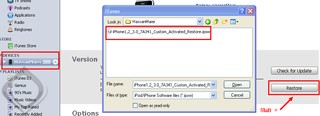
Open iTunes, connect your phone, and press Shift from the keyboard with the iTunes Restore, choose the Castm file, and wait for the restore process to complete safely.
The second step :
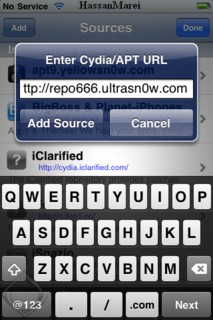
Open Cydia, install all updates, go to Manage, Sources, and add this source http://repo666.ultrasn0w.com
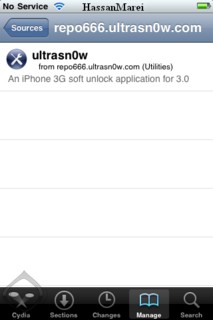
After adding the source, open the source, and you will find ultrasn0w inside, install it, then lock the phone and open it.
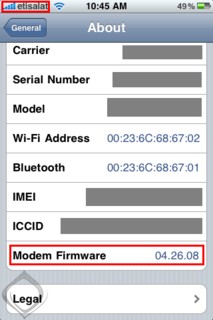
Any network on your phone will work with you, God willing.





130 comment