Apple puts many restrictions in its iOS devices and operating system, and Apple aims to make its devices smoother and more secure for the user, but sometimes these restrictions impede the use of devices or reduce their capabilities, and among these restrictions is the maximum size of applications that are allowed to be downloaded over networks The 3G phone in the past, which Apple is currently restricting to a maximum of 50 megabytes (previously only 20), but there are thousands of applications whose size exceeds 50 megabytes. The user does not have Wi-Fi, so how can he download these applications?
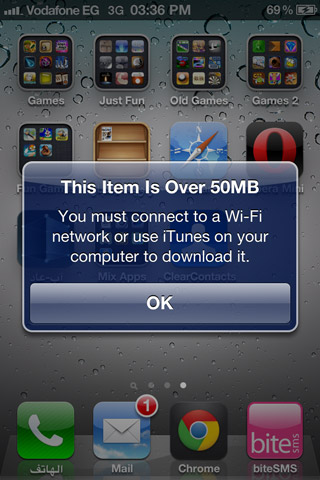
Apple puts this restriction in order to protect the consumer, for example you want to download an application of 1 GB and your phone is connected to the Wi-Fi, but suddenly the Internet is cut off for one reason or another, and automatically the phone will continue to download the application through 3G, which means you lose the entire Internet package or surprise at the end of the month with a huge bill, so I put Apple This restriction is to protect the user against these problems, but now telecommunications companies offer huge Internet packages that sometimes reach 10 GB or more in some countries, so he wants to download applications from his device network because he has really huge packages, but unfortunately this is not possible and the user in this case has to resort To one of the following two solutions:
the first It is downloading the application through iTunes, then connecting the phone to the computer and downloading the application to the phone. This is the most comprehensive solution, but it is not the fastest.

The solution The second It is in the event that you own more than one iPhone device or have an iPad, which is to turn the second phone into a hotspot and then call it from your second phone, and it will be able to download applications without limits because the phone that downloads the application will see that it is connected to Wi-Fi and the other phone uses a traditional Internet and not download Applications, so it is not restricted by the 50 MB limit. To do this, open the settings, and if the personal hotspot is available to press, you can shortcut until Step 3, but if it is turned off and you cannot press it, then apply the following steps:
1 Go to Settings> General> Network.
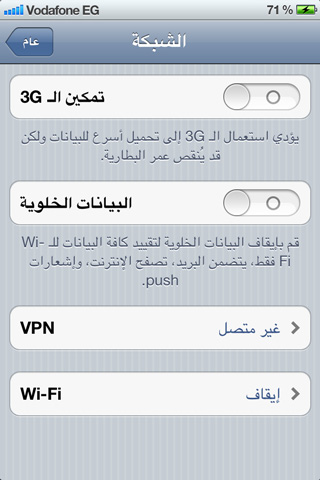
2 Activate cellular data (if it is not activated) and also activate 3G if it is not activated, and a personal hotspot will appear at the bottom as in the following picture:
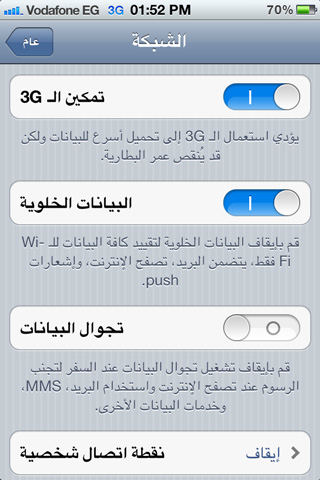
3 Choose a personal hotspot and activate it in the first option, and also put a secret password on the network so that no one can access your phone and use your free internet 😀.
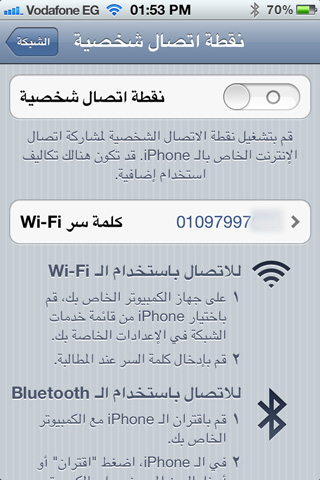
4 In the event that the Wi-Fi is turned off, a question will appear for you: Do you want to share the Internet via USB or Wi-Fi?
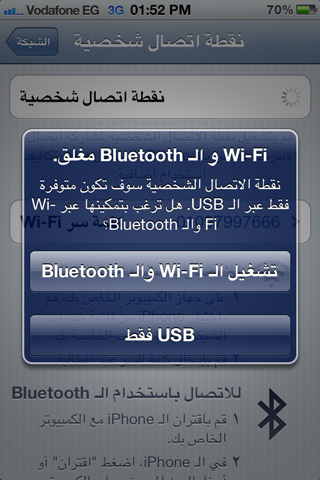
5 Choose Wi-Fi and Bluetooth.
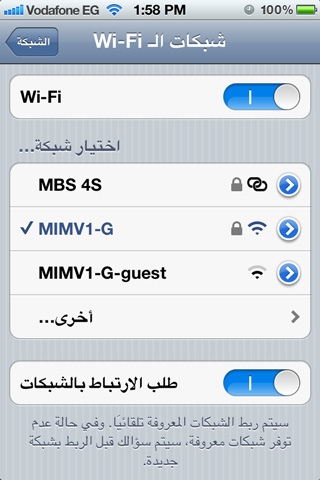
6 Now look for the network from the other device (from which you want to download the application) by going to Settings, then General, then Network, then Wifi, and you will find available networks appearing for you, including your other device, and a distinctive sign appears next to it to indicate that it is a personal connection point, so choose it and enter the password.
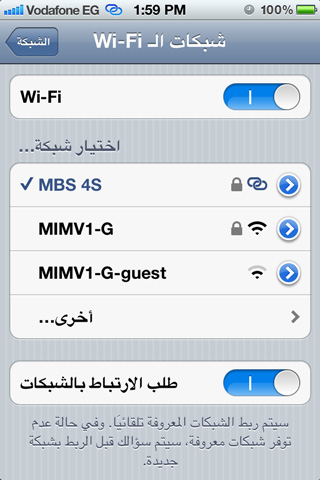
7 After the connection, you will see it next to the network indicating that you are connected to a personal hotspot.
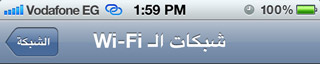
8 Also, it will appear to you on your device (which creates a personal hotspot) that there is a device connected to it (to know if an unwanted person has contacted your network).
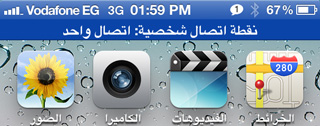
After you finish using the Internet and downloading the application, remember to turn off the personal hotspot to save energy and data.


142 comment