Many users complain about the iTunes application and that they see it as a complex application and includes a lot of features that they do not need, and we have presented a series of articles to explain the application such as Basic information about him, How to Moving between libraries-How to sync Ringtones, photos and videos, And how to Saving iTunes files On the computer, but for some the application is still complicated so we decided to explain an alternative application which is iTools.
The iTools application is an alternative Chinese application for Apple's iTunes, and this application features several advantages, including:
- Very simple interface that anyone can use.
- The ability to transfer a single file or download a single application to your device without the need to synchronize all the data.
- It includes some unique features that are not available in iTunes.
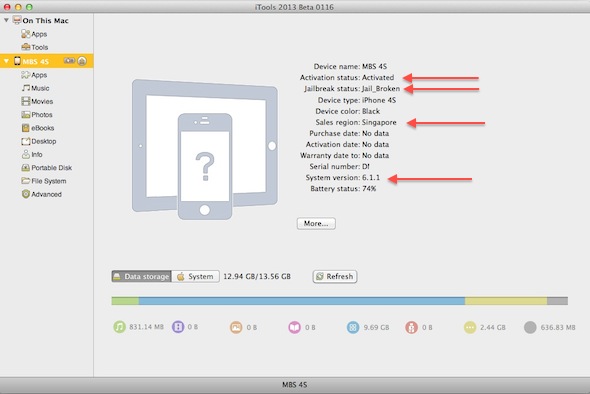
After downloading and opening the application, you will find a simple interface, but it includes useful information, as it shows you the type of your device and the installed version, and whether it is jailbroken or not, and even the country of original sale, meaning the country to which Apple shipped this device, for example, the picture shows that the 4S phone has a system 6.1.1 His country of origin is Singapore, although it was bought new from Egypt.
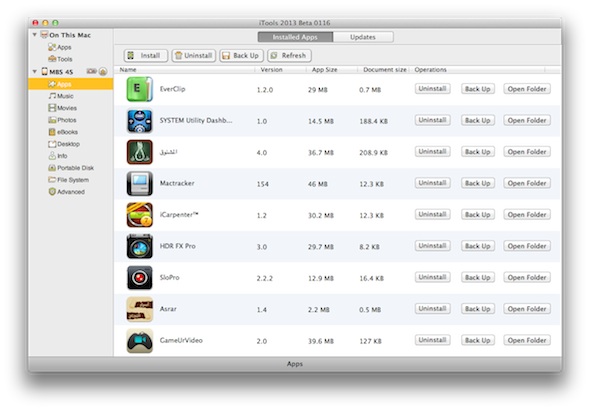
By clicking on the Apps tab on the left, the applications installed on the device appear to you, and through this tab you can download applications and a lot of features that we will explain in detail in The second part of the article This is because there are some important advantages in this tab:
After that, the Music tab on the left will show you all the audio files on your device as follows:
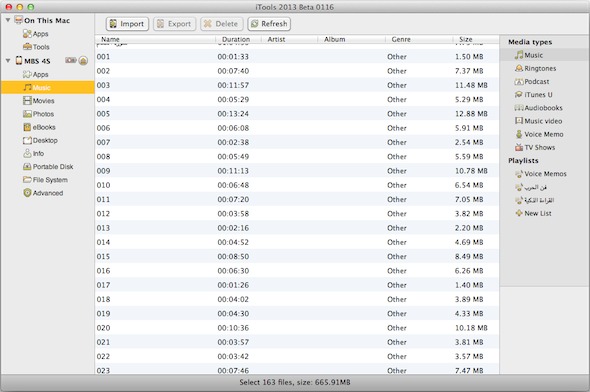
The advantage here is that you can put any MP3 file from your computer to the device without the need to synchronize from the computer by pressing Import at the top and then selecting the file and it will be uploaded directly to your device:

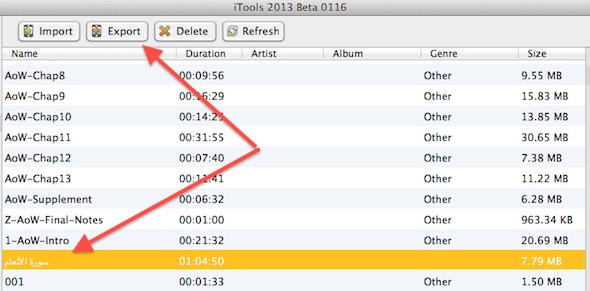
The most important feature is the transfer of any audio file from the device to your computer, sometimes you put a book, audios, or any file on your phone and then accidentally delete it from the computer and you want a way to transfer it from the phone to the computer, and this is not available in iTunes, but it is available with iTools. Just select any file and hit Export:
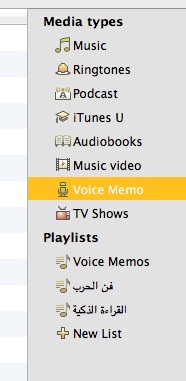
On the right, the files sections appear for you, so you find “Music” and “Ringtones”, “AudioBooks” and what you record on the phone “Voice Memo” and other sections. You can choose any file to and from your device and this does not provide iTunes, which offers you only one option. It is either transferred from the computer to your device in some sections or from the device to the computer in other sections such as voice memos, and the right part also shows you the names of the albums in your device and other information:
On the left you will find the "Movies" section, which enables you to transfer videos to and from the device. Then the "Photo" section, by clicking on it, you will see the albums on your device as follows:
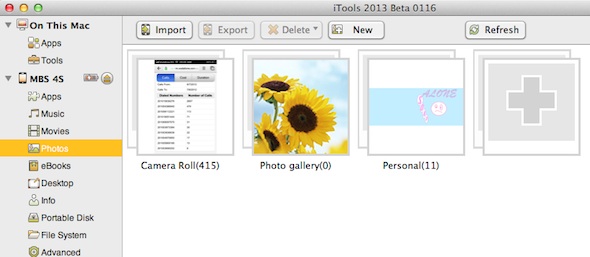
You can drag any image or album to and from your device. You can also create folders and put pictures in it by pressing New at the top and creating a folder and then placing any pictures in it by pressing Import

Why use iTools app?
A question that might be on the user's mind: Why do I need an iTools app as an alternative if I use iTunes well?
The answer is that sometimes you need to transfer only one audio file or book or even download one application, and if the computer you are using is not "Authorized", it will erase all the contents of the phone or iPad that you want to transfer the file to. Also, if you have an audio file or book on your computer and you want to transfer it to your computer, this is not possible by traditional iTunes, in addition to several other advantages, we will mention it in the subsequent parts of the article.
You can download the app from this link For Windows system or this link For Mac system.



150 comment