Several years ago, Google made it possible to download maps Without an internet connection. However, for some unknown reason, with its update at the end of 2015 to support navigation, this feature is supported In Arab Countries The download was even stopped from the ground up. But recently, without an official Google announcement, the download was re-available with navigation and offline searches of places available in all Arab countries.
Downloading and browsing the map without internet is great. Imagine that you are in a place with a weak telephone network and want to navigate your home or search on maps. Or you have run out of internet package, or you even have a Wi-Fi iPad, meaning there is no network connection outside the home. So downloading maps is a really cool thing, and you can do the following:
1
Make sure you have the most recent version of the app, then in the search field type Ok Maps.
2
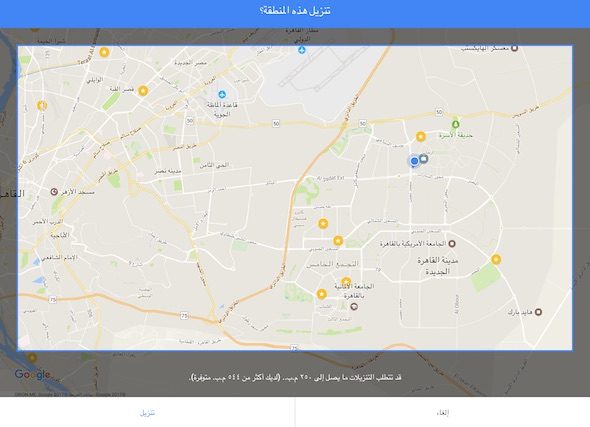
A square will appear for you, so move left and right, as well as zoom and dimensions to include all the areas you visit to download their maps, then press download.
3
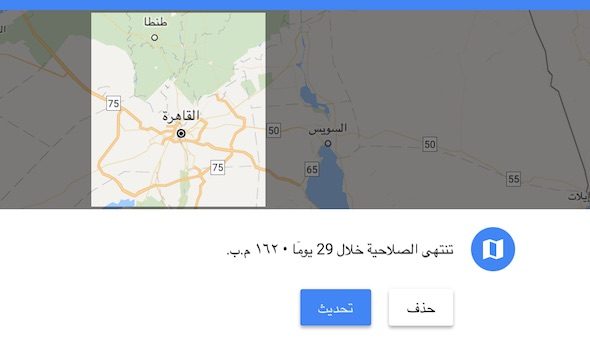
Now, wait a while and you will find the maps have been downloaded to your device. Google provides the ability to download more than one location and Google benefits from the overlap. That is, for example, if you download a map of Cairo and Giza once and then repeat the same command to download the maps of Giza and Fayoum, the application will automatically recognize that "Giza" has already been downloaded and only download new areas to save space. It is noted that the size of the maps is not large, for example, Greater Cairo and several areas around it, their size is only 162 MB.
4
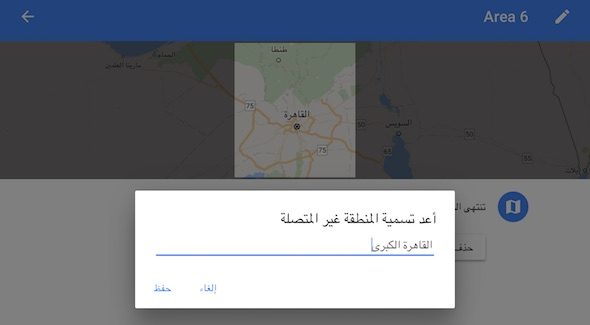
To view the downloaded maps, from the main page, press the three lines to open the settings, then choose “Offline Areas” and you will find the registered places. You can open any of them and rename it to make it easier to find or delete it later if you want.
5
Maps are valid for one month only, and from the map settings you can choose to automatically update them via Wi-Fi.
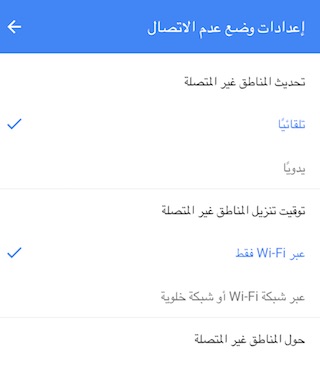
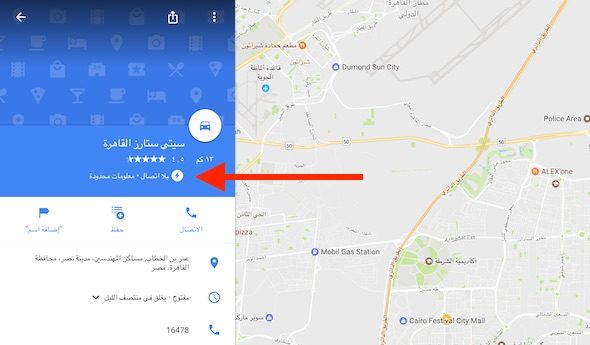
Now if you open the application and it is connected to the Internet, search and navigation will be done in the traditional way, which is to download the map from the Internet. In the event that the application fails to connect to the Internet, a sign will appear indicating that the map that appears depends on the maps that you have registered, and of course in this case the traffic data or many details of the location will not appear.
Navigation is still not available in countries that use the Urdu language, as well as the Asian languages (China, Japan, Korea and Thailand. " But it is now available in the Arab countries, which is an important feature and increases the reasons that made us prefer to use Google Maps for Apple Maps.





22 comment