Google Gboard keyboard is one of the best third-party keyboards for iPhone, featuring fast, scrolling, voice typing, and much more, in addition to Google Search. You don't need to switch between apps, all you have to do is search and share, right from the keyboard. It is available as a single application Gboard app Or it can be obtained with an application Google app In this article, we review some of the main features and helpful tricks.
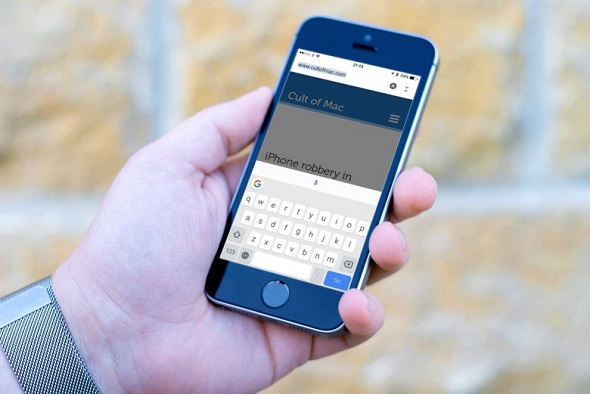
◉ Swipe on the keyboard for faster typing
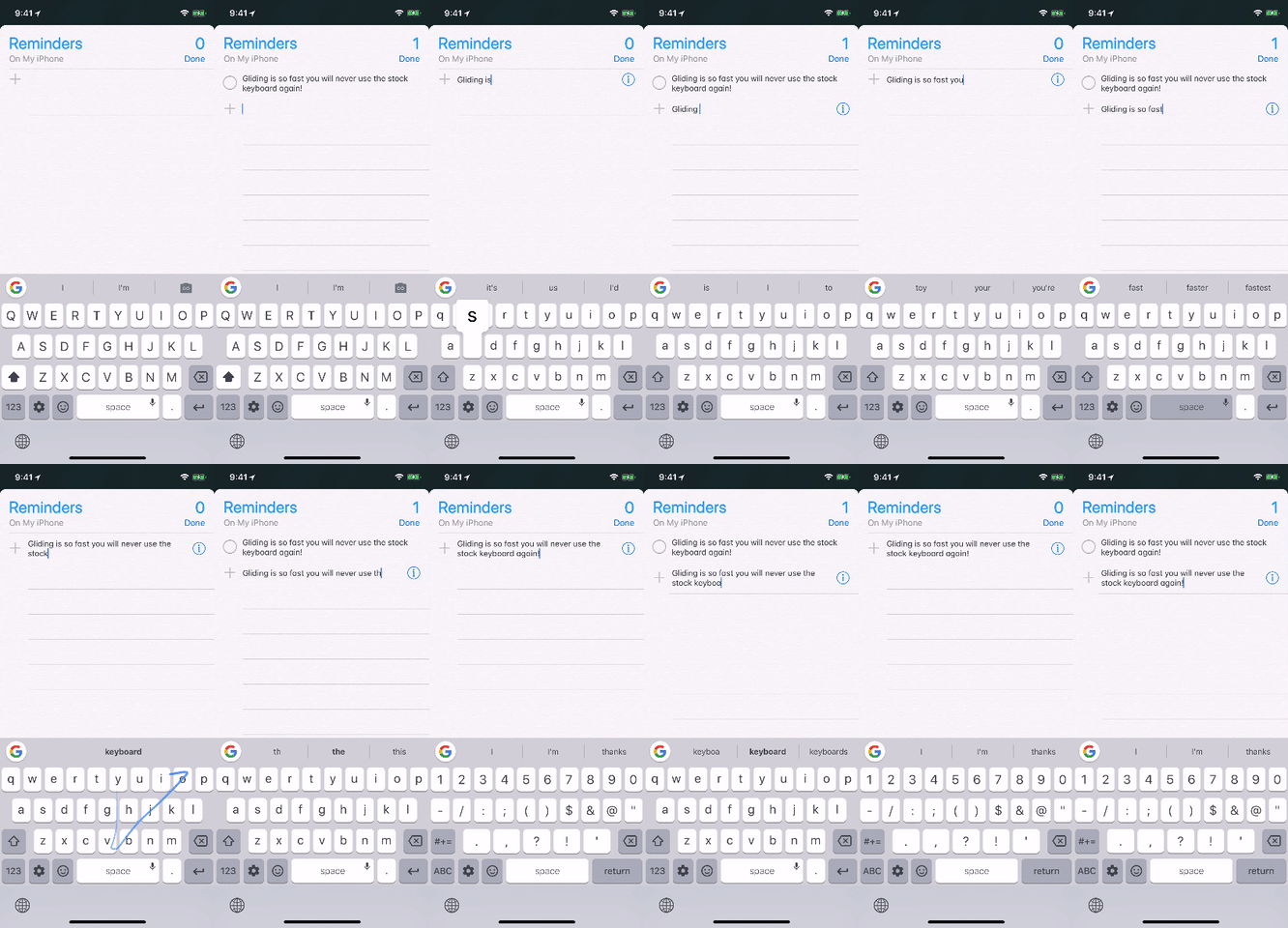
You can type faster by sliding your finger from letter to letter. This is useful if you type quickly and don't want to take your hand off the keyboard. No problem, you can easily do this on the Google keyboard.
◉ Move the writing cursor
You can move the writing cursor by pressing the spacebar and moving back and forth. Also, 3D Touch can be used anywhere on the keyboard. Or by using the lens by applying long pressure to anywhere in the writing.
◉ Make a moving picture

With the Google keyboard, you can take a GIF animation and send it or save it by clicking on the camera icon at the top of the keyboard and you can choose the movement of the image.
◉ Use the keyboard with one hand
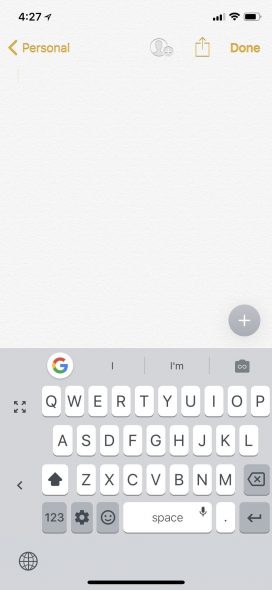
Apple has added options to make it easier to access all the keyboard with one hand. Google has also put this same feature in its application, but in a slightly easier way than Apple, in addition to that, you can install it for the next time. By long pressing the ball between numbers and emoji to switch between languages and settings, you will find the option to use one hand mode. You can switch between left and right with the arrow next to the keyboard. You can return it to default by clicking on the expand mark above the arrow.
◉Customize the settings as you like
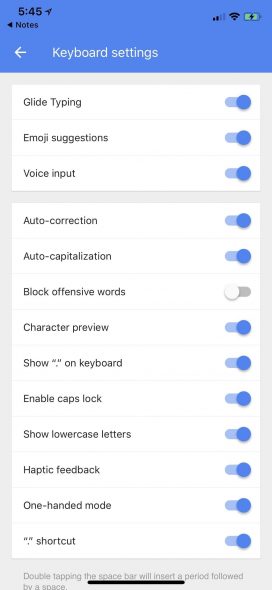
On Google keyboard, you can block writing offensive words. Go to Keyboard Settings - disable Block offensive words.
◉ Search for emoji
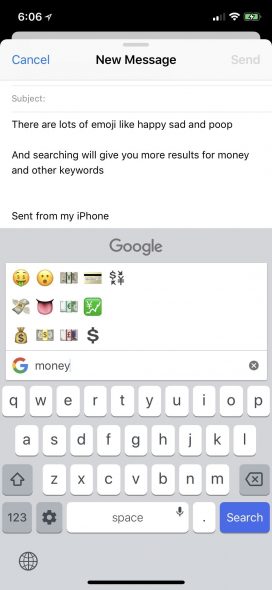
On the Apple keyboard, while typing, some emojis appear that denote some words but do not work in some applications, such as the note application. The Google keyboard does the same thing, but everywhere, whether the notes app or others, you can even search for the emoji that you want by name, then choose what you want and then complete writing in the message writing box.
◉ Switch between languages quickly
Switching between languages remains the same as Apple's way. By switching or by long pressing the gear button in the bottom left of the keyboard. Note that when selecting three languages, the settings option will disappear unless you use the one-handed keyboard setting.
◉ Use the night mode
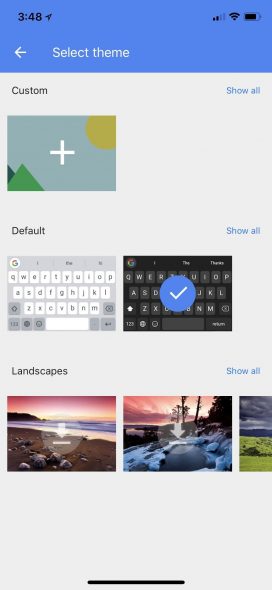
Google keyboard has many themes to choose what suits you best. Including the distinctive night mode. By pressing the gear switch icon - Settings - Themes - then choose what you want.
◉ Voice writing

Another great feature of the Google keyboard, instead of writing, say what you want and it will be written as it is sensitive even to many slang words. By long pressing on the space, you will be taken to the dictation window, and once you stop, the message will be automatically moved to the place of writing the message directly.
◉ Use Google search
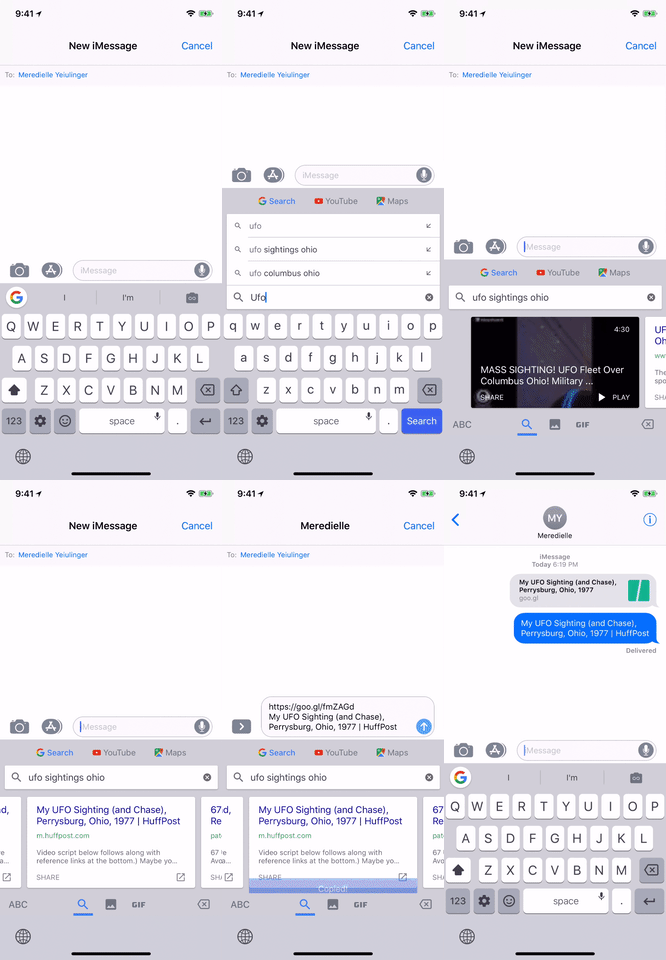
If you want to send a link to someone, you can do so through the Google search feature integrated with the keyboard. Click on the Google G icon at the top of the keyboard and search the Internet for whatever you want. If you want to open the site in a special page, click on the arrow at the bottom of the search status. You can also search on YouTube and share videos, as well as search Google Maps, share your location, or search for another site and share it.
◉ Capital letters and punctuation marks
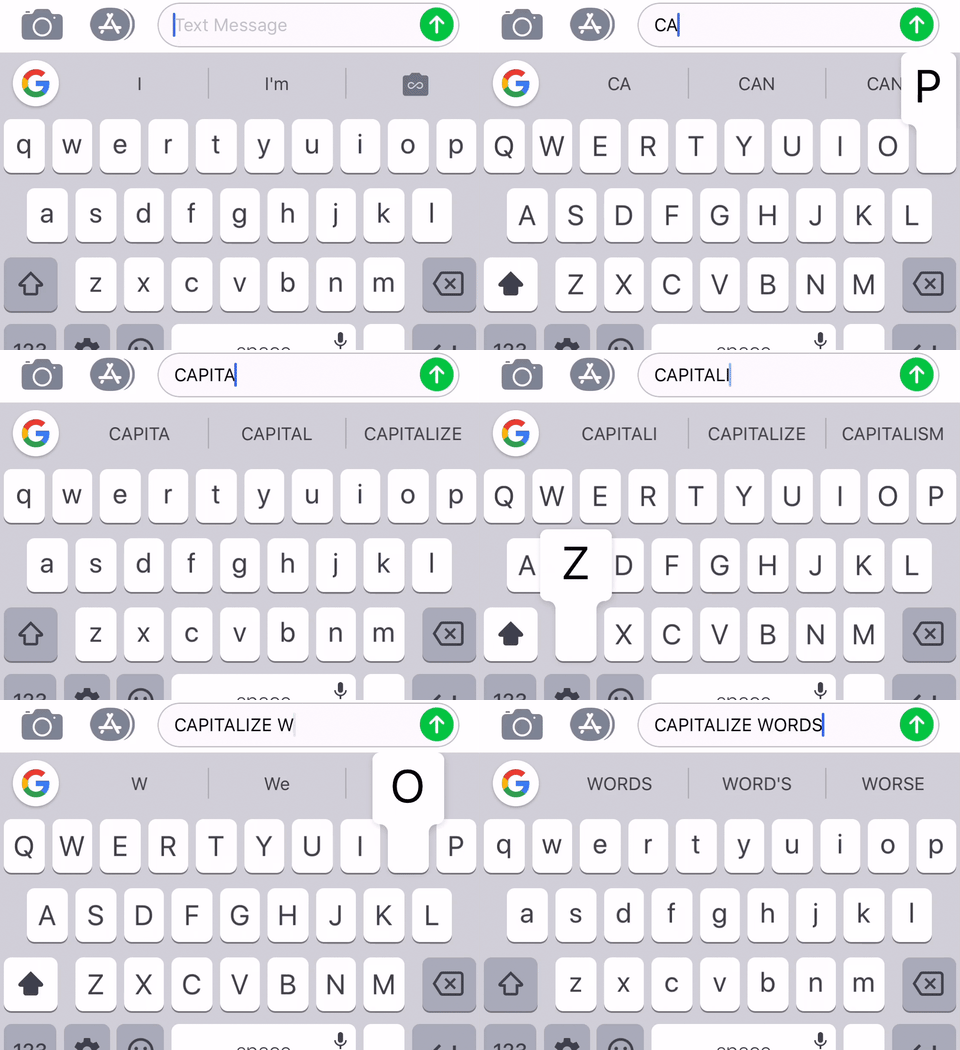
The Google keyboard is easy to use in almost everything. You can press and hold the switch between upper and lower case letters for the English language, for example, and drag to the letter you want, as well as for punctuation marks, you can long press and drag to the mark you want and you will return to your default location again.
◉ Create keyboard shortcuts
There is no special setting in the Google keyboard for this feature, but it uses the shortcuts in the iOS system through Settings - General - Keyboard - Replace text and the shortcuts will be displayed as suggested words.
◉ Clear search history
Since you are using Google search from the keyboard, you will definitely have temporary files. To remove these files, go to Google keyboard settings - Search settings - Clear Gboard search history - then click OK. The temporary files for the keyboard will be deleted only, not Google accounts.
We hope that the Google keyboard will add the features on Android devices from adding fractions and deleting by scrolling and other things that the iOS panel lacks from the Android version of it.
Gboard – the Google Keyboard App - App Store
| Developer | Unknown |
 | |
 | |
What do you think of Google keyboard? Which tablet do you prefer on Apple devices?
Source:



21 comment