10 ways to strengthen and improve the cellular network signal to the iPhone

Many of the features and functions provided by the iPhone device depend entirely on the availability of an Internet connection, and this can be done through the Wi-Fi network or cellular network data, and for the latter, sometimes the user finds some obstacles and difficulties that prevent him from connecting to the web through cellular data, either in At home or even at work, where there are obstacles that weaken the signal on the iPhone, and then you cannot make calls, exchange text messages, or even connect to the Internet, and for this we will review during the following lines 10 methods that work to strengthen and enhance the reception of the iPhone device to the network signal Cellular.

Refresh cellular network signal
Cellular network signal improvement

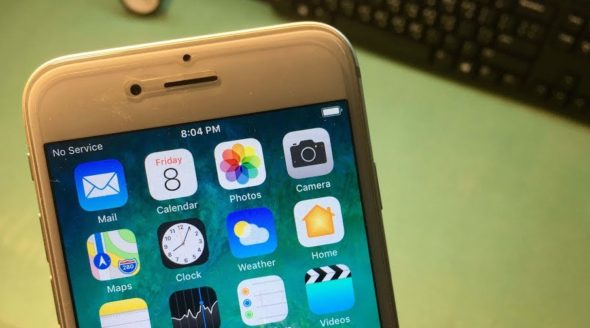
The iPhone works in the constant search for the strongest signal from the cellular towers surrounding it in order to get the best reception and sending of phone calls and text messages, but this function sometimes stops for one reason or another, which leads to the effect on the signal and all you have to do to solve this problem is to take action Update for reference, by following the following:

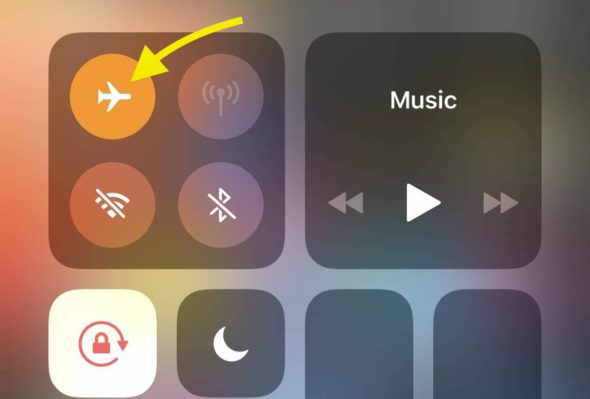
Method 1: By enabling the flight mode for some time and then disabling the flight mode again until the iPhone searches for the nearest signal tower in order to pick up the best and strongest signal from it.

Method 2: By restarting the iPhone device until the device starts searching again for the nearest cell tower and then getting a strong signal.


Update your cell network settings
Cellular network signal improvement

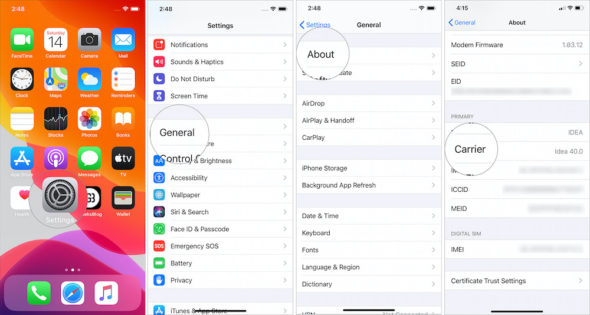
As is the case with the iPhone operating system and all applications, your service provider is also issuing periodic updates, to ensure the quality of service. If your device does not contain the latest update, this may cause the iPhone to not receive The cellular signal is fully strong, so you have to make sure that you have installed the latest cellular network updates, by entering the "General" menu from the settings page, or review the version by checking the cellular network settings, taking into account making sure that you are connected to the Internet, whether it is through Wi-Fi. Fi or cellular data.


Calls over Wi-Fi
Cellular network signal improvement

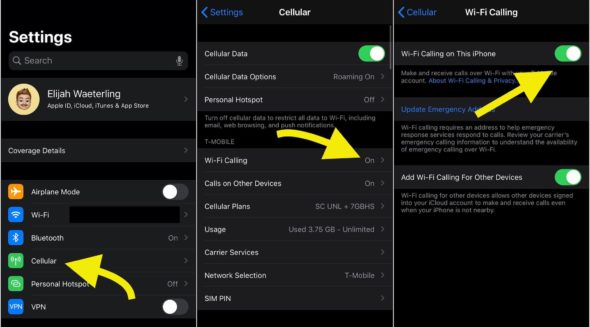
This feature is one of the features of the iPhone, which is almost essential in all versions of the iPhone, in addition to a number of other brands of phones running the Android operating system, and Wi-Fi calls are very useful when you are in a place with limited cellular coverage or when not. There is coverage from the ground up and it is similar to VoIP.

The feature of calls over Wi-Fi depends on the Internet in making traditional phone calls, which are made through the cellular network, and most mobile companies currently provide this service. You can take advantage of this feature by activating it through the Wi-Fi settings in the main settings screen.

Note, if the Wi-Fi signal is bad, this will affect the sound quality of phone calls, and the user will not feel a big difference when using the cell network or Wi-Fi network to make calls.


Check iPhone folder
Cellular network signal improvement

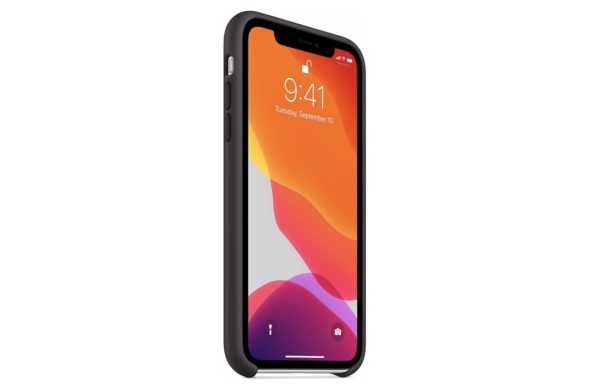
The use of an iPhone case is necessary to keep the device from shocks and falls, but the thickness of the iPhone case may limit the phone’s ability to receive the cellular signal, but this effect is limited, and it only occurs if the signal is really weak. Try removing the case. Phone for a few days to see if the signal improves or not.

On the other hand, some phone cases are made of metal materials, which may cause in one way or another to hinder the phone from receiving a good cellular network signal, so you must check the signal strength in the case of placing the case, and when removing it, it is always recommended to use thin cases made of materials Non-metallic.


Charging the battery
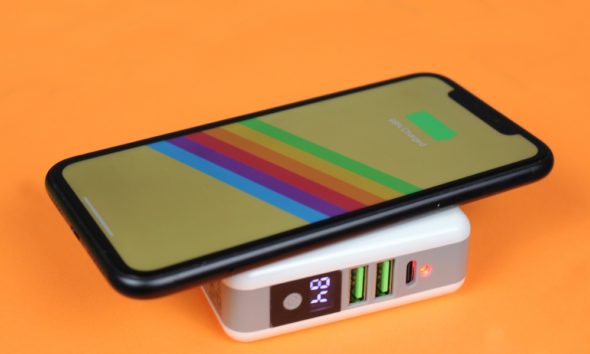
It goes without saying that the iPhone is useless if the battery is empty. However, poor battery charge may limit the device’s ability to perform the search function for the nearest cellular network coverage tower, which is also reflected in the weak signal, and then the poor sound When making phone calls.

To ensure that the battery charge is not the cause of a weak signal, you need to keep the charge level above 50%.


IPhone update
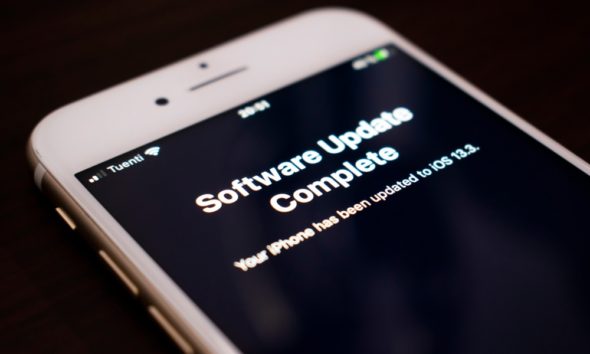
In military strategies there is a term known as "scorched earth" which means burning everything that the enemy might benefit from during the war. The strategy here is to reset the cellular network, as this method addresses many errors and problems of the operating system, Wi-Fi and Bluetooth, but in return you will lose all Settings, so you will need to reconnect all Wi-Fi and Bluetooth accessories again, and if you want to try it, go to Settings, then General, Reset, and then tap on Reset Network Settings.


SIM card
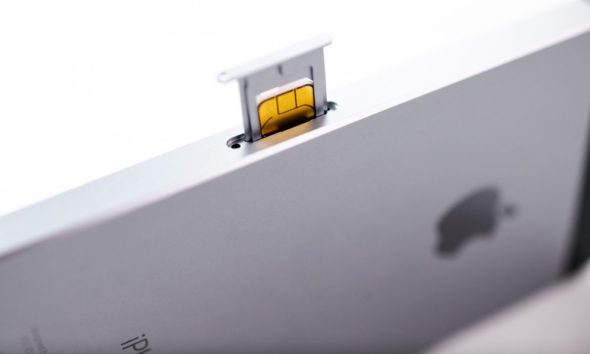
The weak cell network may be due to a problem with the SIM card that you received from the mobile company that contracted with it.

It is one of the reasons a user does not usually think about it, but it may be one of the main causes of that problem.

To verify this, you can remove the card from the iPhone, then put it back on the device, and then restart the iPhone again.

One of the other problems that can cause a weak cellular signal, is that there is something wrong in programming the card, and although this is rare, you can get a replacement card from the mobile company that contracted with it.


Signal booster devices
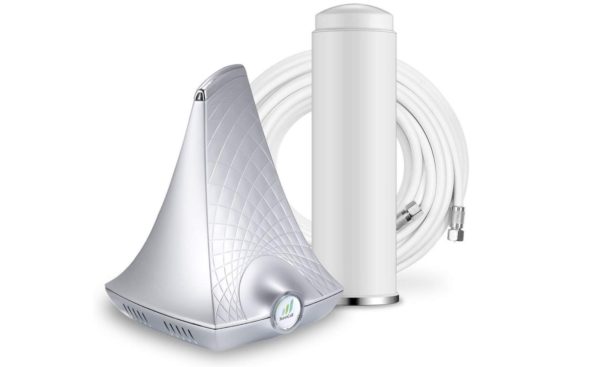
We must mention that resorting to a cellular signal booster device is a somewhat expensive option, but it may be an effective treatment in fixing the weak network problem that you suffer from when you are at home or at work.

The booster equipment captures the cellular network signal, with all its defects, distortions and noise, then purifies it and removes any interference or defects in it, and then re-broadcasts it in the place where it is placed, as if it works like an additional coverage tower in your home, which gives you a strong and clear cellular signal .

There are some other devices that work to strengthen the signal, but the idea of ​​their work differs slightly, for example, femtocell devices are based on the idea of ​​converting the Wi-Fi signal into a cellular signal, and owning such a device can be a radical solution to the problem of weak cellular signal, but the problem lies in the difficulty Find such a device. However, inquiries about availability can be done by your carrier.


Alternative service provider
If none of the previous procedures succeeded in solving the problem and strengthening the cellular signal, there is no substitute for choosing another service provider that can provide you with strong coverage in the area you are in.

You can follow the coverage map of cellular service providers in your country to find out the best coverage for your area.


Change your location
The cellular signal strength is affected by the walls and buildings surrounding your site, the more of those obstacles, the less the cellular signal strength, and the weakening of the network.

If you suffer from a weak network in one of the rooms of the house, you can change your location and go to another place, or even make the call from the yard of the house so that you get rid as much as possible of the walls around you that are hindering the reception of your iPhone from the cellular signal.


What to do when your iPhone's cellular network signal is weak, share your experience with us and tell us in the comments.

Source:

idropnews

56 comment

comments user
Youssef Said Ahmed

Thank you very much for this valuable information, we will try and apply it and we hope to reach the best
Once again, thanks and appreciation

comments user
Hassan Suleiman Osman

I swear by God it is forbidden, I mean the iPhone Plus 12.5.5 and so far I have not been able to update it because the company has stopped updating it still (iOS XNUMX) and because of this problem I have not been able to download some applications and God Almighty is forbidden

comments user
adil

Thank you for this nice topic

comments user
deiaaldeen khudhair

Sorry, regarding the application of dimensions that is very neglected, it is possible to update and develop the last update XNUMX years ago

comments user
hamza MU

There is no strength or power except with God in sync. It was much better, why retreat back
We will see if the iPhone Islam app alone will restore you followers
There is no power but from God

comments user
Miqdad

Unfortunately, we are sad to update the synchronized application and return to iPhone Islam
I have not updated and am still on a synchronized app, nor will I update even if the sources stop or add resources
You had many suggestions from the youth of the site, but you did not listen to any of them
Generally thank you

comments user
mustapha phone

Thank you, Yvonne Islam team..🙂
Maybe I won't update a back-to-past sync app even if its support stops ..

I don’t know why people are moving forward while you are going back.
Yvonne Islam, then synchronized, then going back, a strange step that has no justification.

comments user
sattam-abdullah

I thank God that I did not update that application to the iPhone Islam and Islam is innocent of that application 😂

comments user
Amer Nayef

Where did the tags and favorites disappear? Are you gone, please advise us

comments user
wael

Please add the Like button or not to the comment

comments user
Mohammed Alotaibi

Lovely

comments user
Hossam

I always cut off the call, and it works, so what should I do?

comments user
Ali Hussein Salem Saleh Al-Mirfadi

Guys, I have a strange problem. I hope you can help me. The first time, the Plus applications were working for me until they ended.
I deleted the applications and waited for a few days and installed the applications. They worked normally for me, but now the applications do not open. It is not because the certificate has expired, but because the programs do not open. I mean, they crash. Of course, this problem happened to me from the beginning, and I tried to delete all the data, and now it has returned again. What is the solution?

comments user
Ali Hussein Salem Saleh Al-Mirfadi

Note: Some people ask why Wi-Fi calls do not appear with us. They do not appear with you unless the company supports the feature, and if the feature is supported, an update is issued by the telecom company.
After you update the feature, the feature appears on the phone, of course, the update, I don't mean by software update, means the system
You do not see an update from the carrier, enter Settings, then General, then About, or just turn on the phone

comments user
Ali Hussein Salem Saleh Al-Mirfadi

Oh God, I can't imagine the number of happy comments about the return of the iPhone Islam, even though I don't see them from the beginning. They've been commenting, for God's sake, what are you happy about? One piece of news a day and the program closing. Instead of browsing all the technical news, what are you happy about? Tell me, for God's sake, seriously, what are you happy about? One piece of news a day or two, no more, no less.
The rest we need to collect programs on the iPhone. You did not know the blessing of the program, so you do not understand anything. I apologize for this talk.
I have not updated the application yet and will continue until this program ends.
Because I believe that every beginning has an end
I will leave the site safely and 1000 congratulations for going back, brother, but

comments user
ipower_man

Very excellent, we are blessed, with the help of God, and Mabrouk Odeh, Yvonne Islam

comments user
bnfars al fars

May God bless you. I wish the update of all your programs that we bought with money, unfortunately, do not keep pace with modern tours. Update them better than people praying upon you.

comments user
Amjad

Successful return, God willing

comments user
Ahmed Al Hassan

Islam iPhone gives you wellness on the return of our wonderful application iPhone Islam and God is very happy 😍🌷😍
This talk, nor Balash
The rest of the application to my prayers and joy be complete 😌

comments user
The Rock

God Allah, what a beautiful update

comments user
Abu Abdulmalik

A thousand thousand congratulations for the return of the iPhone application Islam
Great design, thank you, focus on Better Islam

comments user
adil

Thank you for this nice topic
Thank you effort

comments user
Mohamed Magdy

I did not find the connection using Wi-Fi and entered from the settings as shown in the pictures, and I did not have this option? !!!
Despite the mobile phone is updated to the latest version

comments user
Ahmed Mesbah Ali

Congratulations for the wonderful and distinguished update
Wonderful and beautiful
Always forward

comments user
Abu Khaled Al-Anzi

Congratulations for the return of the iPhone application Islam
And wait for the return of Sync

comments user
mohammad hamad

Wonderful and beautiful

comments user
Yasser

Welcome

comments user
Salar Daad

After the update, where can I find other technology news?

    comments user
    Blog administrator

    Zamen will be back soon, God willing

    comments user
    hamza MU

    Soon, Arabs, it means impossible

comments user
Qadeemak Nadeemk

Congratulations return of the application we wish you success

comments user
ezzaher rashid

The sync app was great and I don't think iPhone Islam will work

    comments user
    Blog administrator

    IPhone Islam as a site that needs an application, and a synchronized application was not successful, a successful application must cover the cost of operating it, and this is what we are trying to do now

comments user
Basem Albadi

Congratulations on the return of iPhone Islam and thank you for the effort

comments user
amhed

Thank you for this nice topic
Thank you effort

comments user
Full moon

Congratulations for the return of our beloved application (iPhone Islam) and good luck, God willing.

Please clarify the topic of (subscription) in the application, and does it require a new account and a new subscription, or the old account is valid until the end of the subscription period?

comments user
Mahmoud Saeed

I did not find the connection using Wi-Fi and entered from the settings as shown in the pictures, and I did not have this option? !!!

    comments user
    Qadeemak Nadeemk

    Mobile event

    comments user
    Ahmed Mesbah Ali

    I also did not find him ..

comments user
Hassan

Welcome back iPhone Islam success ❤️❤️❤️

comments user
Abdullah Al Shamsi

Thank you, Yvonne Islam

comments user
Abu Omar

Thanks for the kind return, setting the path, and keeping away from distraction
I ask you to update the program to my prayers
As it includes an alert before Fajr prayer with a blessing from the device

comments user
Wadih Al-Harbi

Hi
I have notifications in all applications. If they reach the lock screen, I press and hold to respond to them through the lock screen. I cannot, even if the lock screen is open. Note that the camera and flashlight shortcuts, when pressed on the lock screen, work without any problems with the long press. The problem is only encountered on the lock screen when responding to notifications only. Note that all the settings are correct. I did a restore. It worked for a short period and the same problem returned. I do not know if there is a defect in the iPhone 11 Pro device.

comments user
Ali MOHAMMED

Good return 🤗

comments user
Mohammed Malkawi

Where did Zamen go, and did the application return to its previous level? I hope for a response from the good guys

comments user
Said Albesher

Distinguished and creative .. Thank you from the depths
Honestly, the app returns to what it used to arouse emotion, and the iPhone slogan is Islam light on the screen

comments user
Nasser Al-Ziyadi

Thank you for the new update
I liked the update
Since Synchronization has been canceled, we want to update iPhone Islam apps
Especially the dictionary application

comments user
Nashid Al Rekabi

Very pleased with your presence all dear iPhone family

comments user
Nashid Al Rekabi

Congratulations on your creativity, and the meeting with you is the most beautiful meeting, and it is a meeting of love and pleasure with what you offer of its pleasure and benefit. I ask God for success.

comments user
Abdel Moneim Abu Ali

Thanks for the article

comments user
gentel raqi

All the programs were except my prayers, the talking clock, and others.

comments user
Adel Asiri

We want to update the program to my prayers

comments user
Ali Ali

Congratulations, your creative, enjoyable and good luck
Your presence in our life has become a necessity, longing and sincere love

comments user
Asad

Welcome and hello
With all the staff of iPhone Islam, we were happy with the return of the application, independent again, because we have memories and memories from the days of the iPhone 4.
You have nurtured us and made us happy in the entire Arab world.

comments user
Rafat Elmasry

What is an update for the Elly Prayer program?
I want an update to make the program full screen for iPhone X

comments user
Ahmed Alzahrani

Congratulations on the return of iPhone Islam with an independent application as it was before, praise be to God

Leave a response

We are not responsible for any misuse of the information mentioned above. IPhone Islam is neither affiliated nor represented by Apple. IPhone, Apple and any other product name, service names or logos referenced herein are trademarks or registered trademarks of Apple Computer.

العربية简体中文NederlandsEnglishFilipinoFrançaisDeutschΕλληνικάहिन्दीBahasa IndonesiaItaliano日本語한국어كوردی‎فارسیPolskiPortuguêsРусскийEspañolTürkçeУкраїнськаاردوTiếng Việt