How to transfer a call, message, or email from Apple Watch to iPhone

considered as Apple smart watch Very great for taking a quick look at notifications, knowing who's calling you, or even seeing the email sent to you, but many times, especially in public places, I feel annoying when I answer the incoming call on the Apple Watch and talk to my wrist in a public place, if You feel annoyed like me, so here's how to transfer a call, message, or email from the watch to the iPhone with ease.
How to transfer a call, message, or email from Apple Watch to iPhone


How to transfer a call from Apple Watch to iPhone
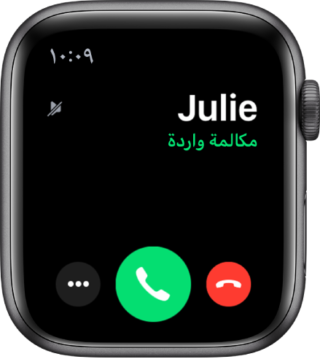
Apple Watch

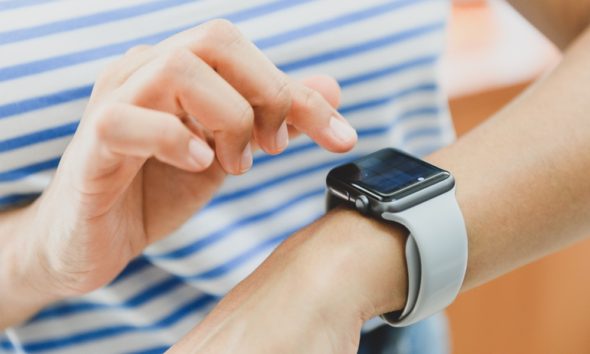
When a call notification comes to you on the watch, you can know who is calling you by raising your wrist. If you decide to answer the call, but from the iPhone, use the digital crown and scroll down. When you see the answer button from the iPhone, press it. The call will be put on hold until it comes from the iPhone - IPhone.

But if you have already answered the call from the watch and you want to transfer the call to the iPhone, open the lock of your iPhone, then press the button or the green bar at the top of the screen, and so the call will be transferred automatically to the iPhone


How to transfer messages from Apple Watch to iPhone
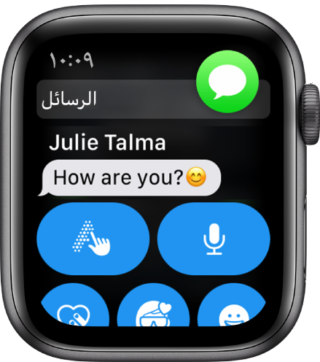
Apple Watch

  • Open the Messages app on the watch, then tap the message you want to reply to
  • Then open the app switcher on the iPhone
  • By swiping up from the bottom of the screen for recent releases
  • Or double click the home button for older devices
  • Click the button that appears at the bottom of the screen to open the message in the iPhone messaging application

How to transfer an email from Apple Watch to iPhone
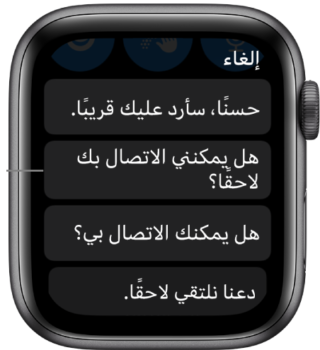
Apple Watch

  • Open the hourly email app
  • Tap on the message you want to view or reply to
  • Then open the app switcher on the iPhone
  • By swiping up from the bottom of the screen for recent releases
  • Or double click the home button for older devices
  • Click the button that appears at the bottom of the screen to open the e-mail message on the iPhone
Do you rely on the Apple Watch or use a lot for the iPhone, tell us your experience in the comments

Source:

more

15 comment

comments user
adil

Thank you for this nice topic

comments user
NATHIR

Good article

comments user
nawaf

Gives you wellness 🌹🌹

comments user
Hasan

The best solution is to use the headset if you are in a place where you do not want to use the watch. Then you can answer from the mobile if you wish. It is not a problem.

comments user
Ahmad ali

Is there an option to answer calls exclusively by phone only in the settings?

comments user
Ahmed Mahmoud 🇾🇪

I want to know what is the benefit of the watch. As for transferring all notices to the phone - I work as an engineer, I wish if it remains in an article on the watch (the last sixth edition) and it can help us how

comments user
Aslam al-Balushi

Thank you and give you good health

comments user
Amjad

thank you

comments user
mansur al omar

I answer calls on the hour with the use of the AirPods, and I often carry the phone because I have the release watch in which any SIM is not necessary for the phone to be present.

3
1
comments user
Saud

Well, the same idea applies to the iPhone and iPad, but by virtue of that I am mobile phone, this feature does not work except for copying and pasting

comments user
Saad Sharif

The watch is for health, sports and notifications

IPhone for messaging, communication and reading

5
1
comments user
Dhafer Alqarni

The idea is sweet, so basically, the clock itself is connected, once moods call once, not the worst hour, but the dumbest hour

comments user
Hani

I use the Apple Watch, but my dependence on the iPhone gives you great health, an excellent article and more than wonderful

comments user
yasers Said

God bless you

comments user
Esteftah Zamel

Gives you a wellness

Leave a response

We are not responsible for any misuse of the information mentioned above. IPhone Islam is neither affiliated nor represented by Apple. IPhone, Apple and any other product name, service names or logos referenced herein are trademarks or registered trademarks of Apple Computer.

العربية简体中文NederlandsEnglishFilipinoFrançaisDeutschΕλληνικάहिन्दीBahasa IndonesiaItaliano日本語한국어كوردی‎فارسیPolskiPortuguêsРусскийEspañolTürkçeУкраїнськаاردوTiếng Việt