Things are about to improve dramatically in the Messages app on both iPhone and Android, and the most important change is the ability to send text messages to Android users with features similar to the iMessage app, such as typing indicators (the message is being written), and read receipts (the message has been read). Share large files, high-quality photos and videos, and even emoji reactions to messages. If you can't wait for the official release, you can try RCS on iPhone now.
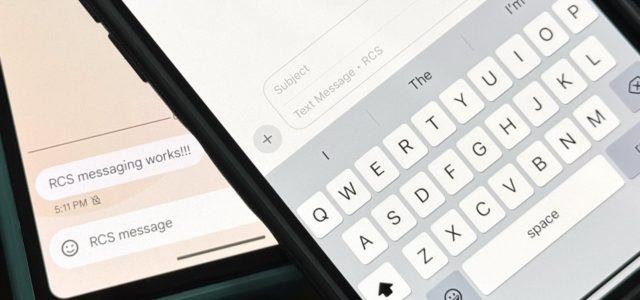
Introduced in 2012, RCS, or Rich Communications Services, is a communications protocol that will one day replace SMS and MMS. It has been available globally to Android users since 2020 in the Google Messages app. Telecom companies have begun implementing RCS technology in their Android apps, but Google Messages is now the standard across networks.
Apple announced in late 2023 that it will support RCS messages, and they will reach the iPhone everywhere when iOS 18 is released. And if you are in a hurry to use the features of iOS 18, including trying RCS messages between you and all your friends who are Android users. You can install the beta version, which is currently only available to developers, but we do not recommend this and you should be patient until at least the public beta versions are released.
Requirements
◉ Install the second beta version of iOS 18 update or later.
◉ That your telecommunications company supports the RCS service.
◉ Updated carrier settings.
How to enable RCS on iPhone
Only some carriers in the US, including AT&T, T-Mobile, and Verizon Wireless, currently support RCS on iOS 18.
First step: Update telecom company settings
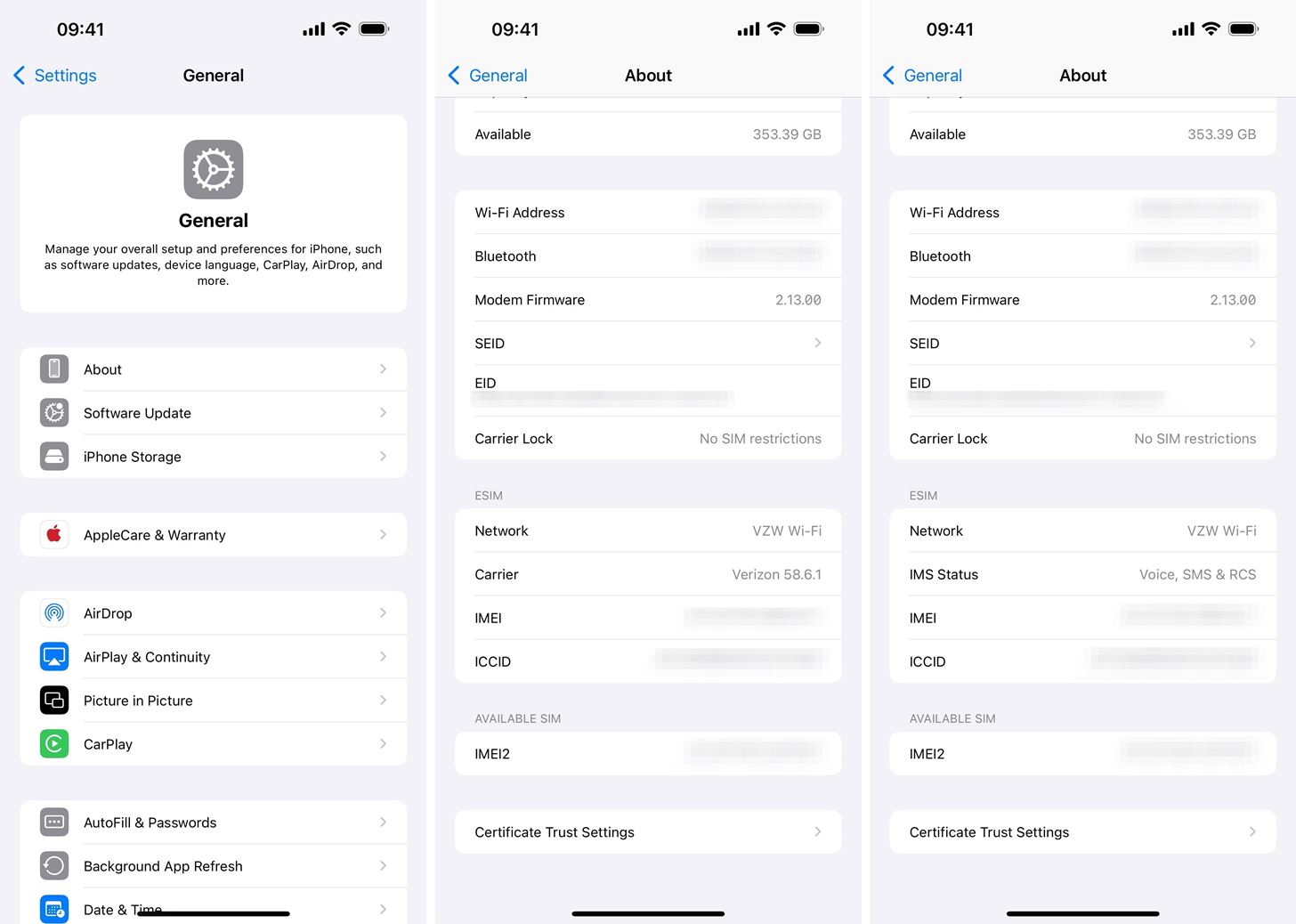
Once your iPhone is on the second beta of iOS 18 or later, you must update your carrier settings. You may receive a notification when a download becomes available, which you can install by following the on-screen instructions. If you don't see an update notification, you can force the update to appear through Settings » General » About.
You can also scroll down and tap Carrier information to view IMS Status, and if RCS is running, it should say “Voice, SMS & RCS” or “Voice, Text & RCS” instead of “Voice & Text.” Voice & SMS”.
Step 2: Check if RCS is enabled
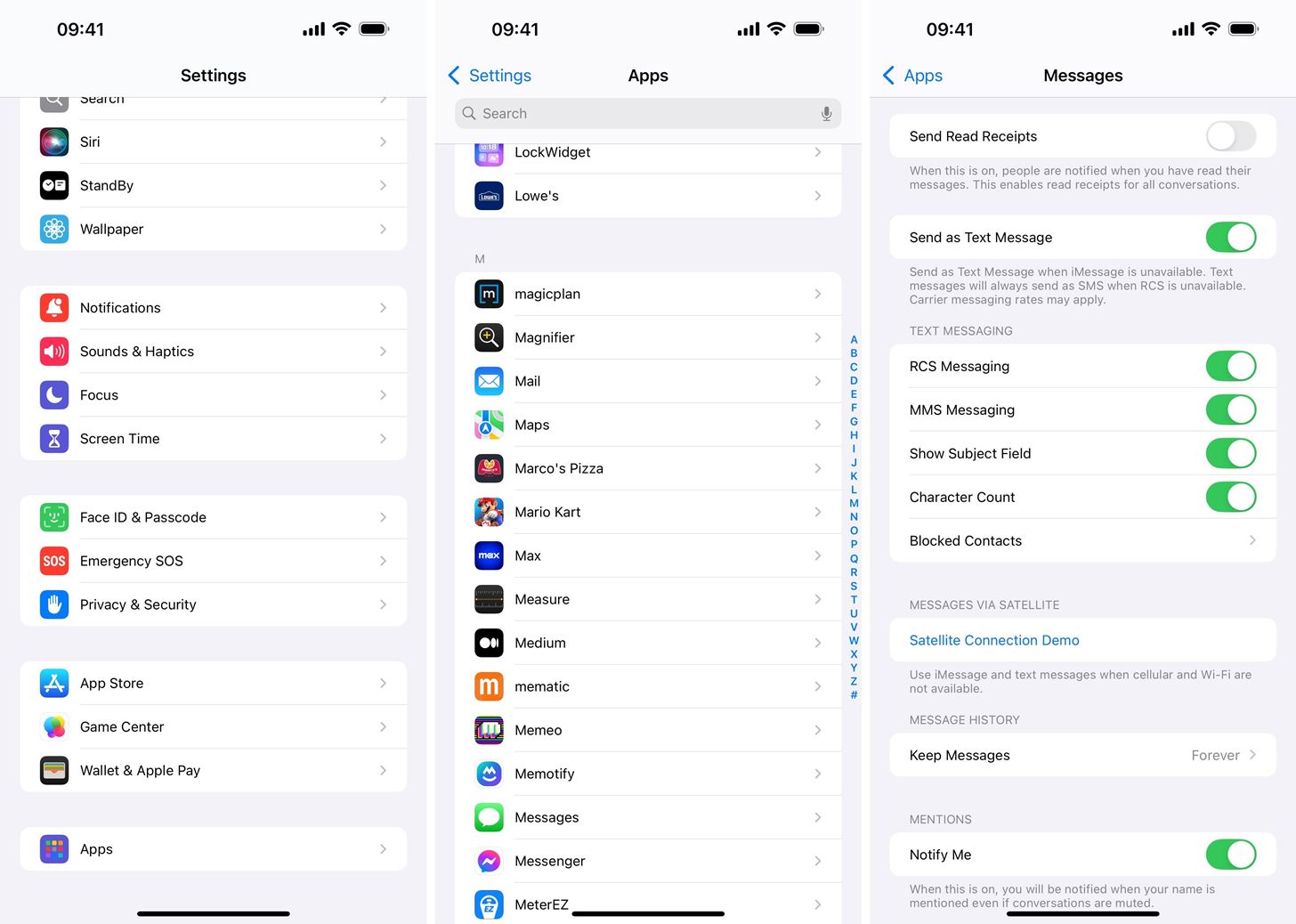
Some carriers may automatically enable RCS with an updated settings package, so you may not need to do anything to enable RCS. However, you must make sure of this through Settings » Applications » Messages, find the “Messaging via RCS or RCS Messaging” option under the Text Messaging section, and make sure it is turned on.
Step 3: Check if RCS is working
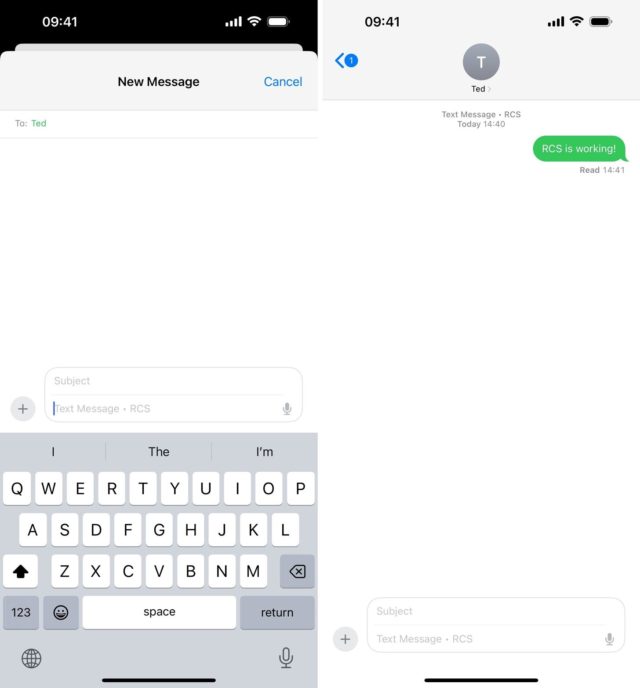
Open the Messages app on your iPhone, then start or continue a conversation with an Android user. If RCS is running on both sides, you should see “Text Message • RCS or Text Message • RCS” in the empty text field. If you see “Text Message • SMS or Text Message • SMS,” it doesn’t work.
When you send a message via RCS, “Text Message • RCS or Text Message • RCS” will appear in the conversation, indicating that it was sent via RCS and not SMS.
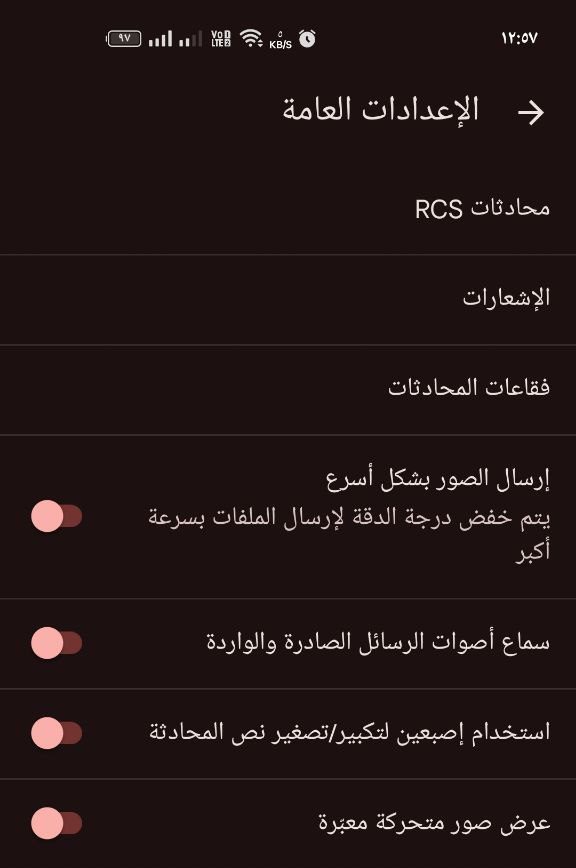
Any Android users you're messaging will also need to have RCS enabled on their phone. In Google Messages, they can tap their profile picture from the list of conversations, choose “Message settings,” tap “RCS Chats,” and make sure “Turn on RCS Chats” is turned on and that their company status says it’s on.
RCS messaging features on iPhone
There are many benefits to using RCS messages instead of regular SMS and MMS text messages. Here are some of the features and improvements you'll get when sending and receiving RCS messages:
Possibility of sending voice messages.
See real-time writing indicators and that the other party is writing to you. It works just like iMessage.
Instant replies and emoji reactions. It may not work 100% at first. For example, when someone sends an emoji in response to a photo in an RCS conversation, that response may appear as text instead of the emoji appearing on the photo itself.
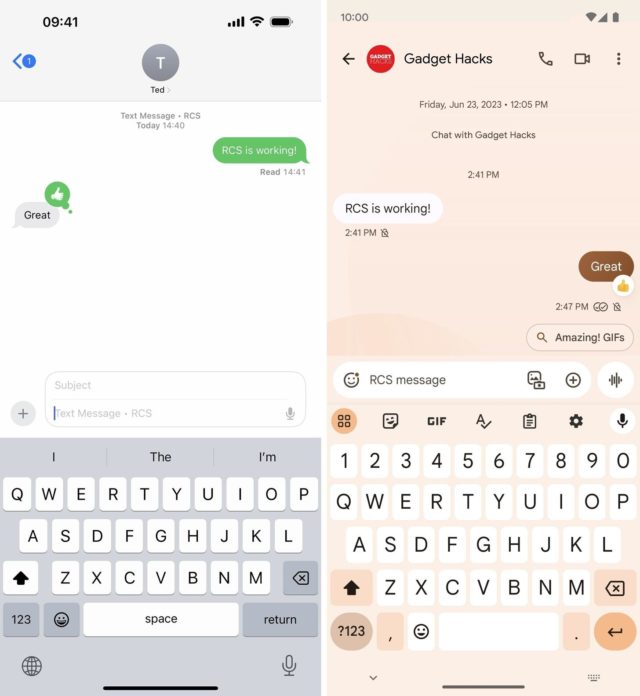
Delivery and read receipts, so you can allow or prevent recipients from seeing whether you've read their messages. You can also enable or disable read receipts for all conversations in Messages through Settings » Apps » Messages » Send Read Receipts. Or you can do this for each conversation by clicking on the contact name in the conversation and toggling “Send Read Receipts” on or off.
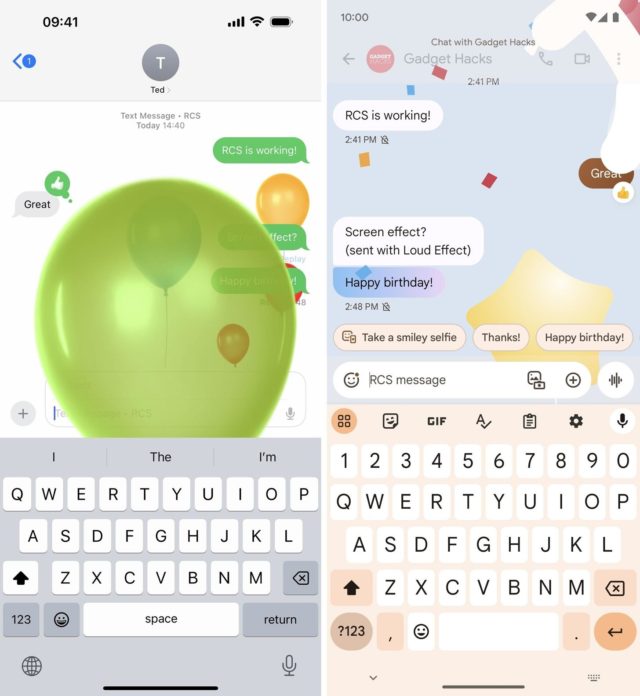
Some full screen animation effects. But it only works when sent using specific words or phrases, like “happy birthday” or “congratulations.”
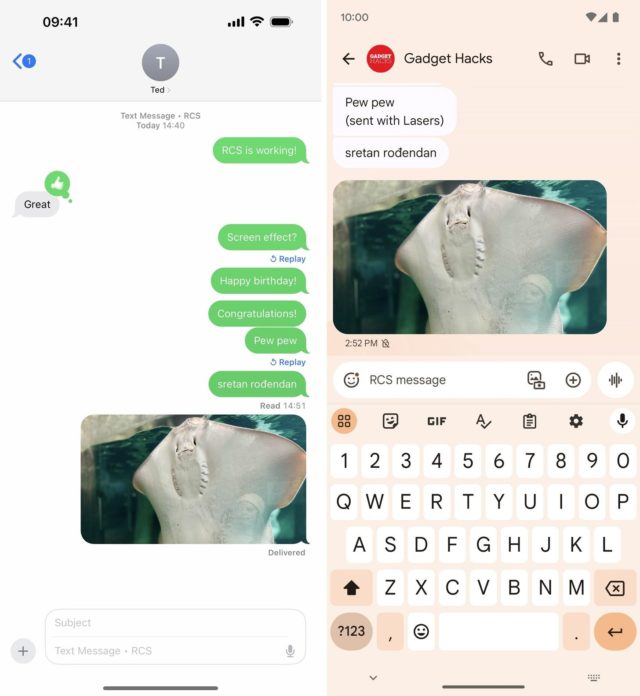
High resolution photos and videos. You and the recipient will be able to see the same full-resolution photos and videos.
Larger file sizes for photos, videos, documents, and other attachments. You could share documents as PDFs before, but file size limits prevented you from sending large files. Now, this limit has been increased significantly.
Supports cellular and Wi-Fi connections. SMS and MMS only work over cellular connections, but RCS messages work over cellular and Wi-Fi.
Improve group conversations. So you can rename group conversations, add or remove people, or leave the group.
Disadvantages of RCS messages on iPhone
Some features may not always work properly during the iOS 18 update beta, but some things won't work due to Apple's design or lack of full cross-platform support.
◉ Lack of end-to-end encryption. If you want your messages to be completely protected so that no one can read them except the sender and the recipient, use iMessage on the iPhone with advanced data protection enabled. RCS messages are not fully encrypted like iMessage. It's encrypted as it travels between devices, but carriers can read it as it passes through their servers. Apple said it will work to make RCS messages fully encrypted in the future.
◉ Green bubbles. You'll still only see blue bubbles for iMessage and green bubbles for everything else. Apple may use a dark green color for RCS messages, but it will likely stick to the same color for all non-iMessage conversations.
◉ Not all animated effects will work. Bubble effects you send from iPhone will not appear on Android devices. Instead, users will see text that says “Sent with [effect name].” The same thing happens with screen effects. When you send a screen effect, Android users will see text that says “Sent with [effect name].”
But some of the words and phrases that activate the effects will work between iPhone and Android devices, but most of Apple's effects will not work on Android beyond 300 effects.
◉ Posters will be sent as images only. Animated stickers on the iPhone will arrive on Android as a static image only.
◉ There are no responses included. Inline replies available in iMessage are not compatible with RCS messages. In iMessage, you can reply to a specific message within a conversation so that the reply is related to that specific message. You will not find this in RCS messages.
Source:


10 comment