The iOS 18.4 update is part of the iOS 18 series, which launched last September, and brings with it a wide range of features that enhance the user experience. In this article, we'll review the most important new features in the iOS 18.4 update.
Apple's AI features are only supported on iPhone 15 Pro and later.
iOS 18.4 features advanced AI technologies, support for new languages, and improvements to everyday apps like Camera, Photos, and Notifications. Whether you own an iPhone 15 Pro or an older model, there's something for everyone in this update. Here are the highlights of iOS 18.4:
Priority notifications thanks to Apple's intelligence
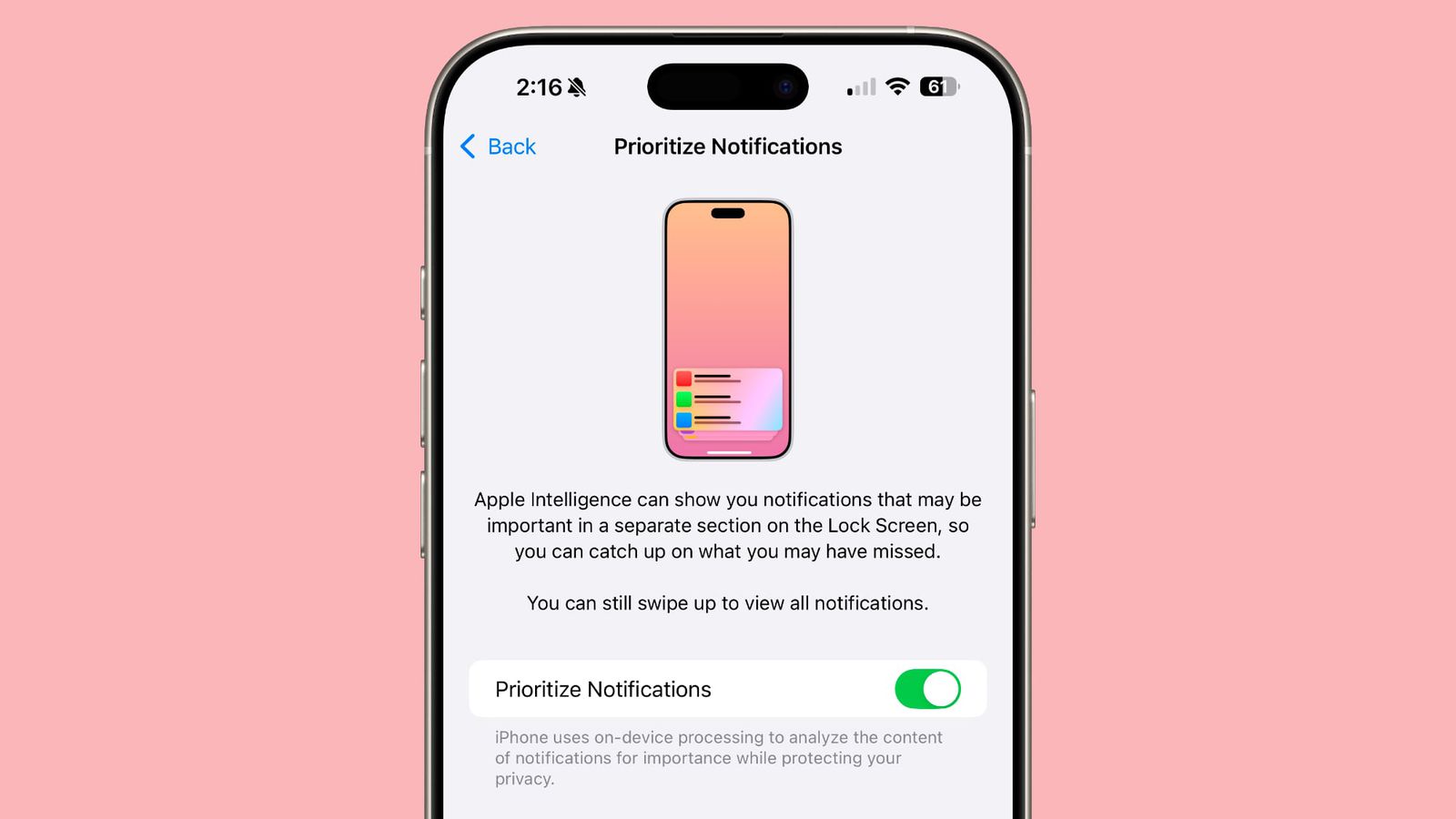
With iOS 18.4, Apple introduces Priority Notifications, using Apple Intelligence technology. This feature displays the most important notifications first on the lock screen, saving you time and effort. To enable it, go to Settings > Notifications > toggle Prioritize Notifications. You can also customize it for each app individually.
Visual intelligence of the iPhone 15 Pro models

Previously exclusive to the iPhone 16 models, Visual Intelligence is now available to iPhone 15 Pro and 15 Pro Max users. This feature allows you to use the camera to recognize objects around you, such as reading text or identifying locations. Since these models lack a camera control button, you can activate it through Control Center or using the Action button.
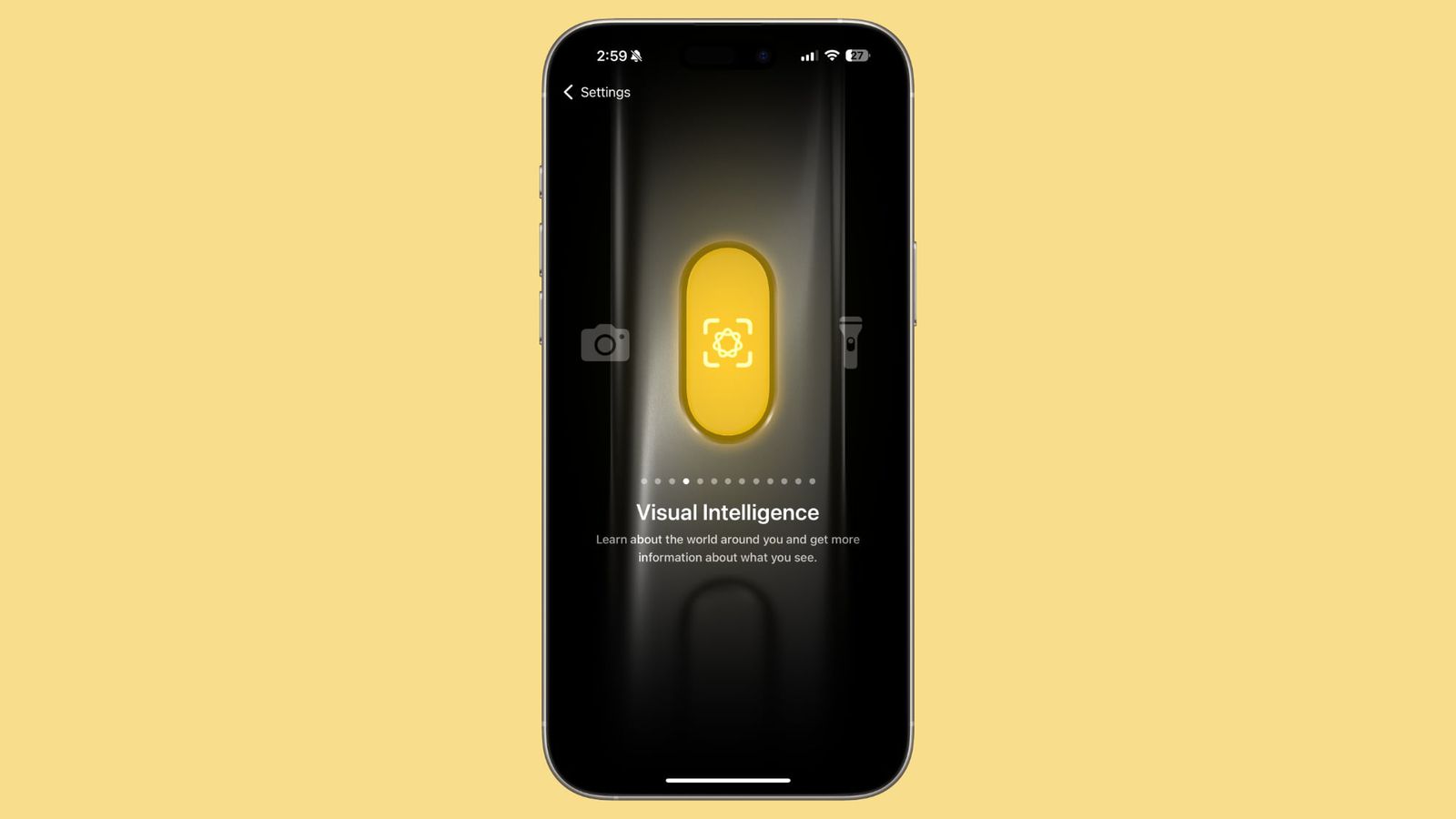
Image Playground app
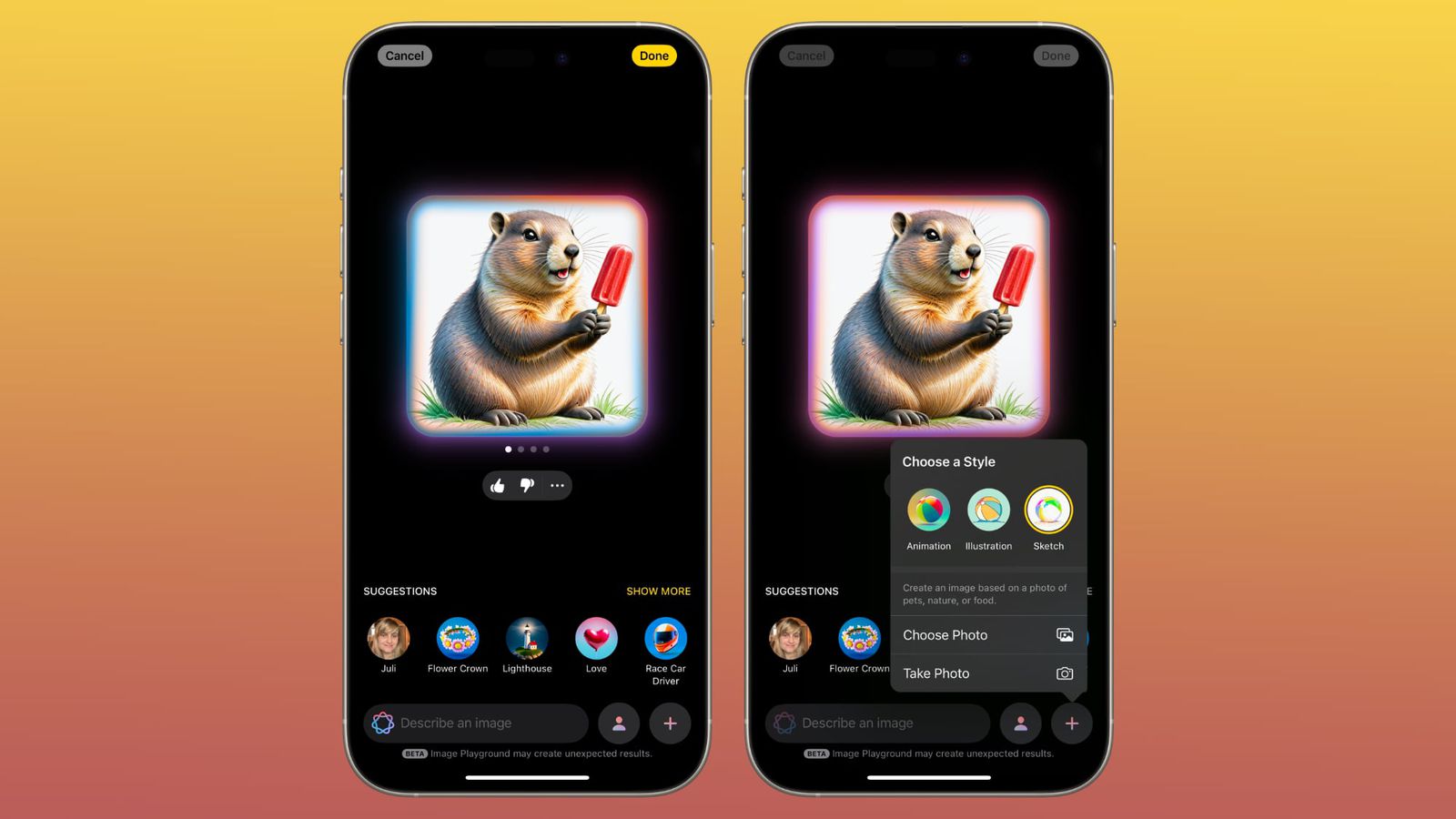
If you're a fan of AI-powered image creation, the Image Playground app in iOS 18.4 introduces a new style called "Sketch," alongside animation and illustration. You can easily switch between styles by tapping the + button. Apple also added a new "Spring" theme, replacing the previous "Winter Holidays" theme, giving you fun seasonal options.
Support for new languages in artificial intelligence
iOS 18.4 now supports languages such as French, German, Italian, Brazilian Portuguese, Spanish, Japanese, Korean, and Simplified Chinese, as well as localized versions of English for Singapore and India.
Fun new emojis
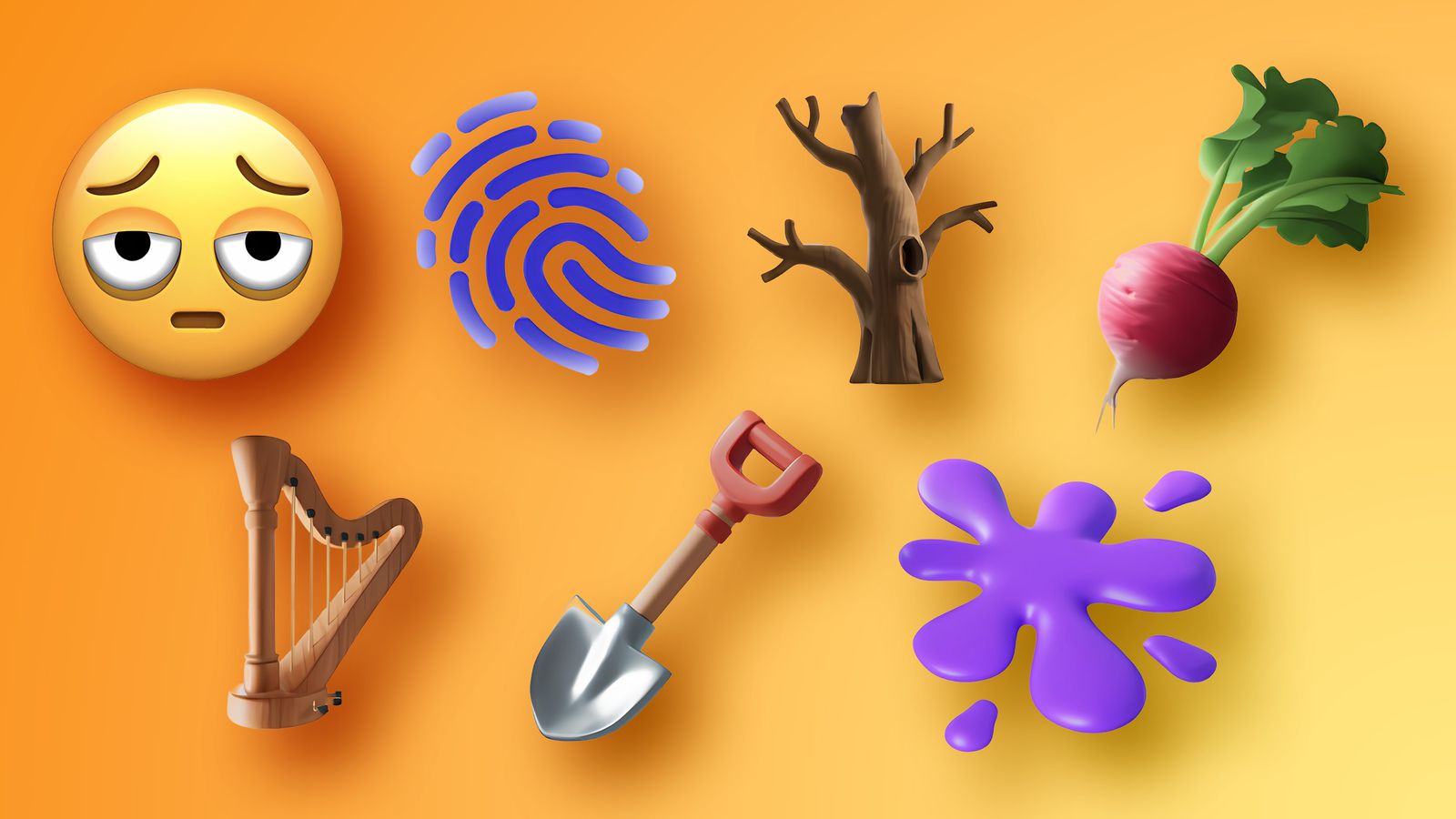
The new update adds a new set of emojis including under-eye bags, a fingerprint, a leafless tree, a root vegetable, a guitar, a shovel, and a spray.
Vision Pro App
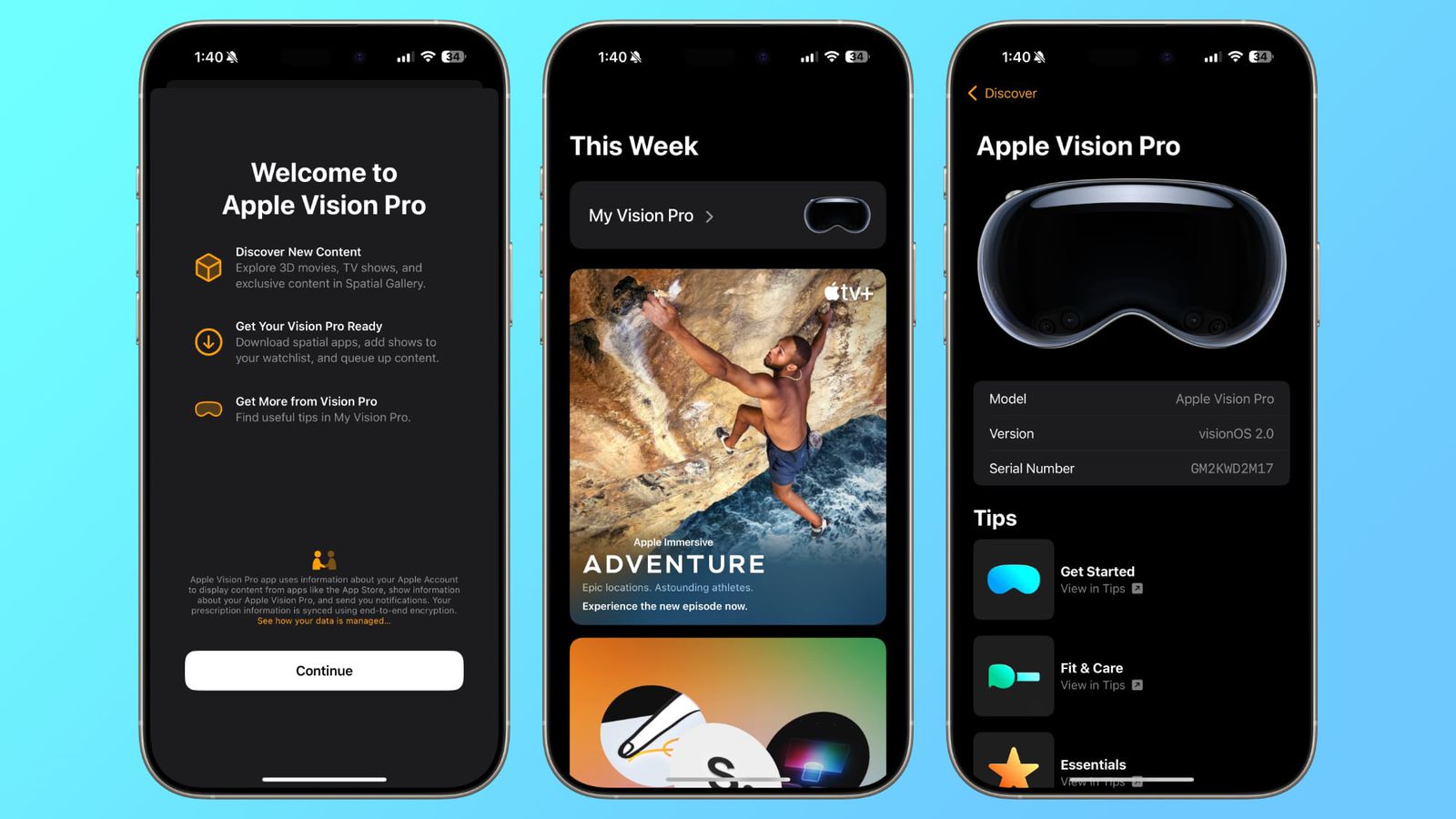
If you own a Vision Pro headset, iOS 18.4 introduces a new app specifically for this device. The app helps you discover downloadable content like immersive videos and XNUMXD movies, with a dedicated section containing a user guide and tips. You can also set up Guest Mode from your iPhone, allowing others to easily experience the headset while deciding which apps they can use.
Apple News+ Food
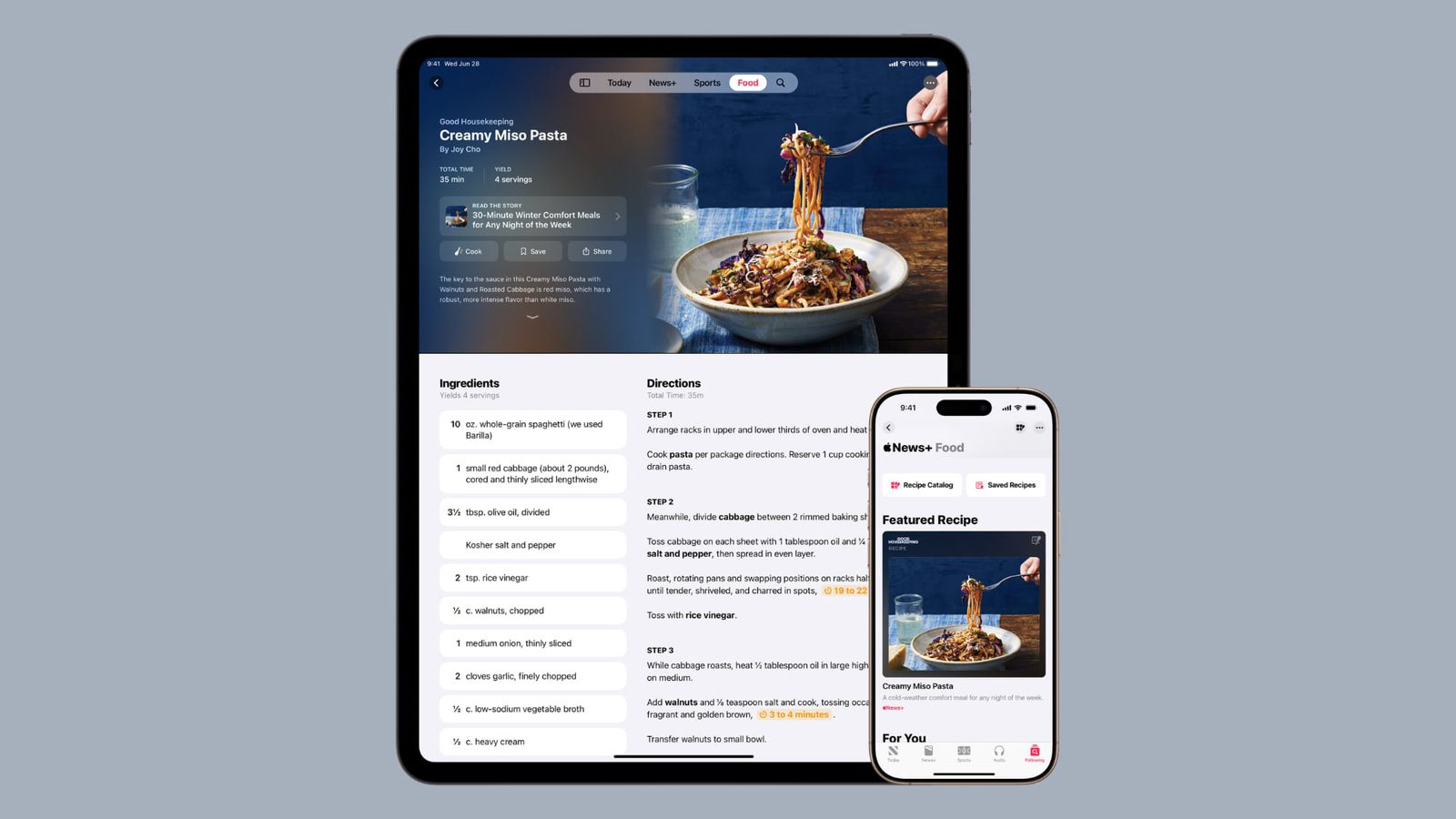
For Apple News+ subscribers, iOS 18.4 introduces a new Food section, featuring thousands of recipes, restaurant stories, and healthy eating tips. Content comes from popular publishers like Bon Appétit and Food & Wine, with a Cook mode that provides step-by-step instructions and the ability to save recipes for offline use.
Photos app improvements
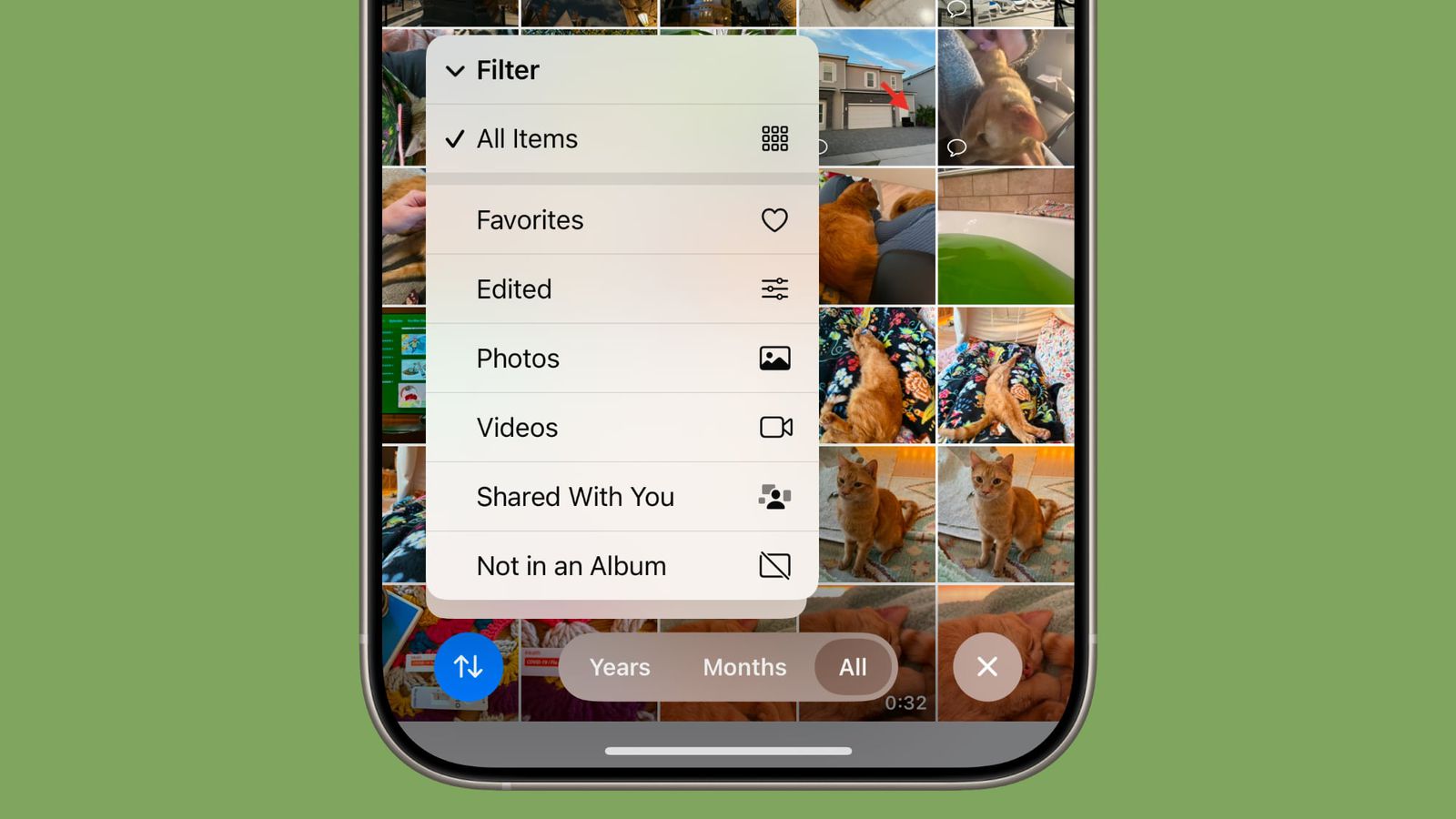
The Photos app has received some great upgrades, including new filters for displaying photos shared with you or those not added to albums. There's also an option to delete or restore all deleted photos with a single tap, and a new setting to show or hide the "Recently Viewed" and "Recently Shared" albums.
Siri updates
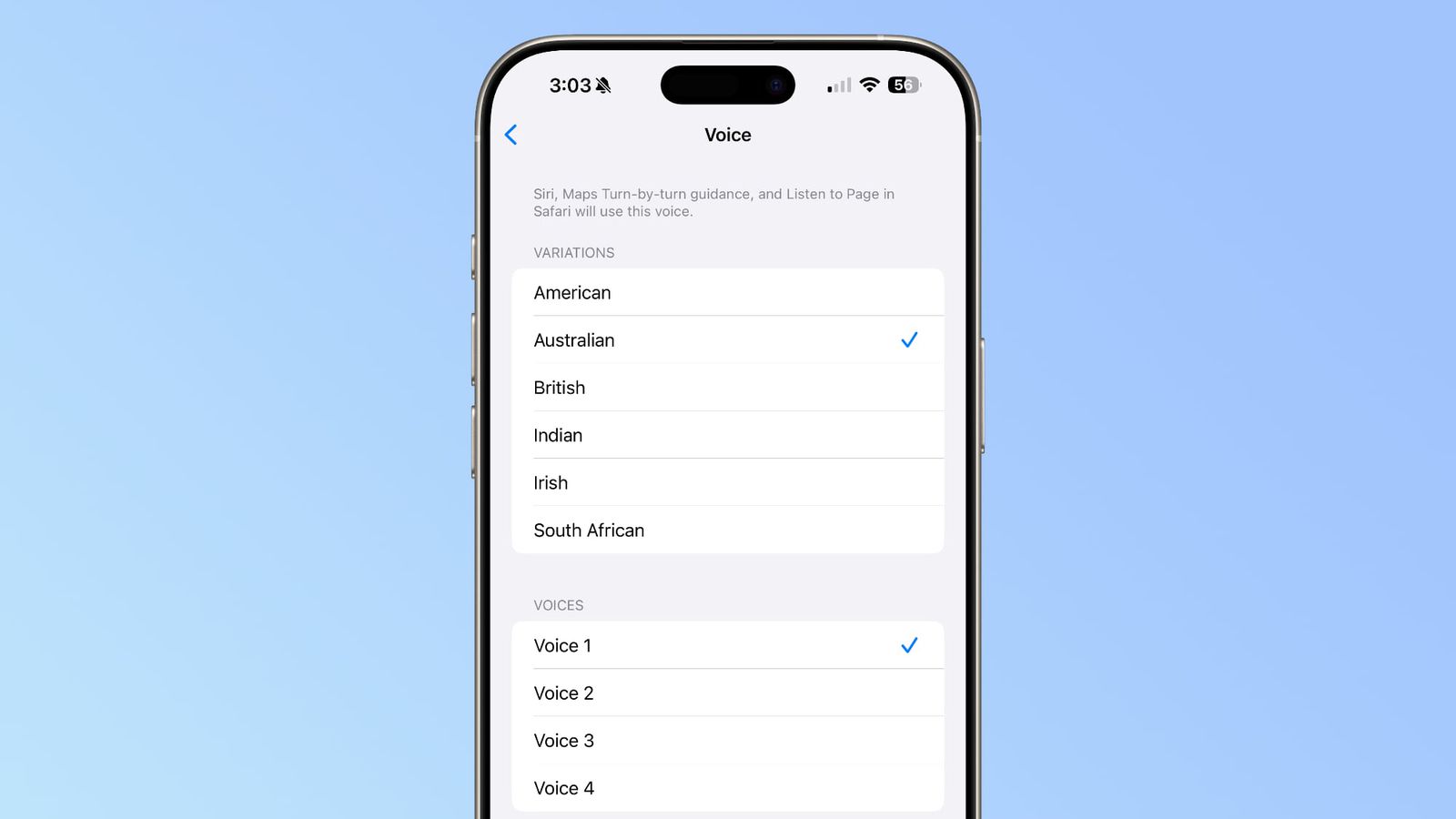
Siri has two new Australian voices and improvements to the "Type to Siri" interface, where the keyboard disappears after you answer to save screen space. You can also activate typing using the side button.
RCS support for T-Mobile Virtual Network Operators (MVNOs)

Rich Communication Service (RCS) arrived on the iPhone with iOS 18, giving us a great way to chat with Android users via the Messages app with iMessage-like features. For example, RCS offers enhanced features for texting like real-time typing indicators, emoji reactions, read receipts, and full-screen animations. However, to take advantage of RCS in conversations with Android users, you need a compatible carrier. There was already a good list of carriers that supported RCS on iPhone, but iOS 18.4 added compatibility with T-Mobile's virtual network operators (MVNOs), such as Google Fi, Mint Mobile, Tello, Ultra Mobile, and US Mobile.
App Store Review Summaries
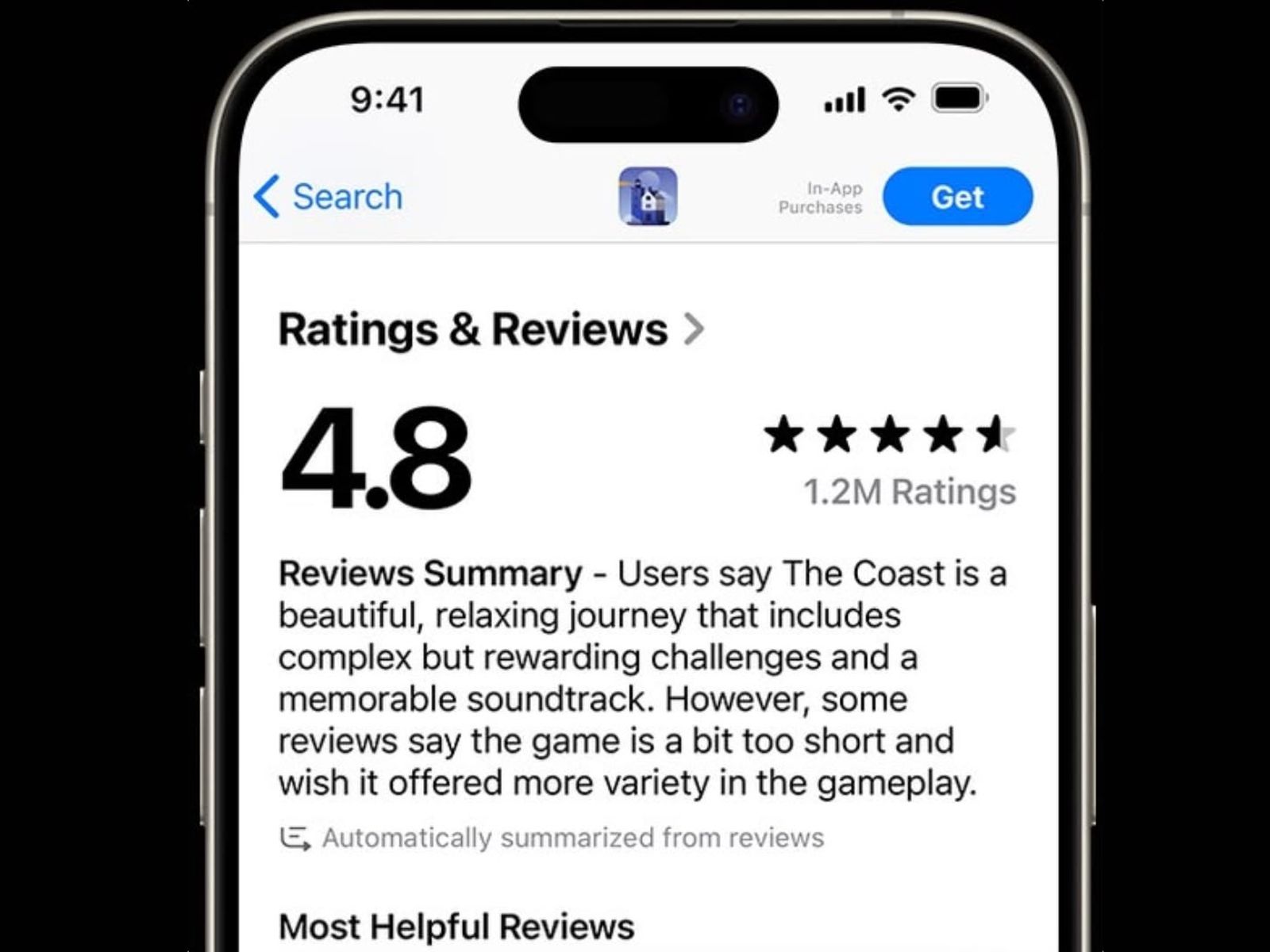
The App Store now displays summaries of customer reviews for select apps and games in the US, using large language models (LLMs) instead of Apple's on-device intelligence. The summaries appear in a short paragraph highlighting common comments and general sentiment, and are updated as new reviews are added. Any bug can be reported by long-pressing and selecting "Report a Problem." The feature will gradually expand to all apps and games with sufficient reviews over the next year, with support for additional regions and languages coming.
Default translation app
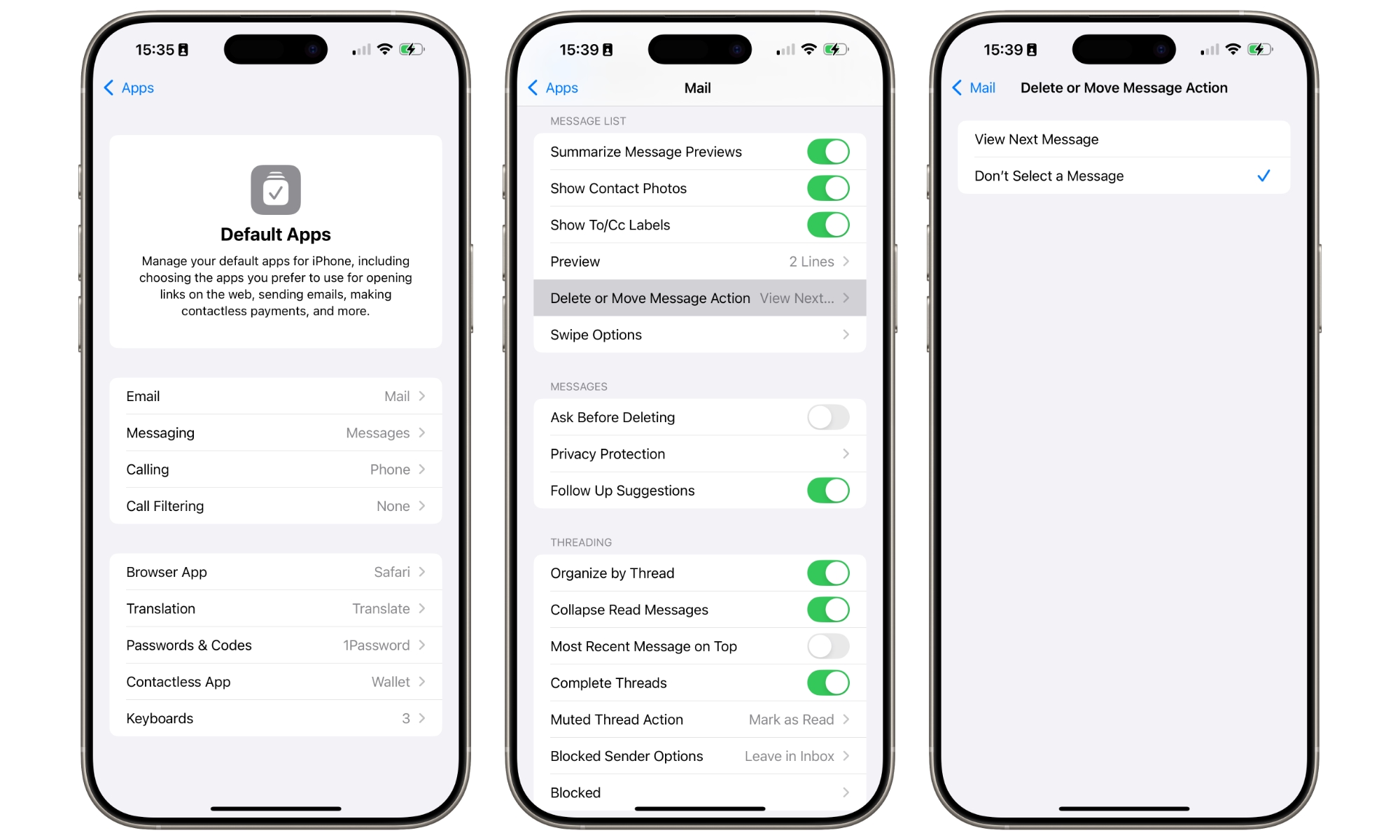
You can now choose a default translation app, in addition to browsing, calling, mail, and messages. Currently, Apple's Translate app is the only option listed. Third-party developers can configure their apps with the necessary permissions and keys to appear as the default.
New filtering options in the photo library
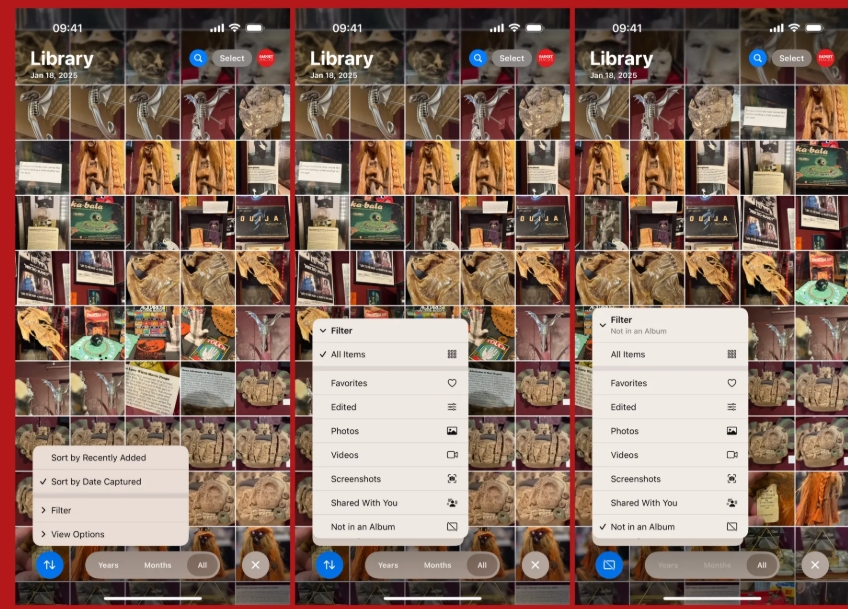
In the Photos app, you can now use new filters when viewing your entire library. Tap the Sort button at the bottom of the screen, then choose Filter from the menu. New options like Shared with You and Not in Album will appear, and you may see Not Synced from Mac if iCloud Photos is disabled.
◉ “Shared With You” displays content sent by contacts via messages.
◉ “Not in an Album” highlights photos that are not added to manual or automatic albums.
◉ “Not Synced from Mac” reveals photos added from Mac that are not synced with iCloud.
“Not in album” also appears in other sections such as People, Animals, and Travel.
Other additional features
◉ Privacy dots: The dots that appear when the camera or microphone is in use are now clearer with a black background on the left of the status bar.

◉App Store: You can now pause app downloads directly from the Updates menu, with summaries of app reviews.
◉ Maps: New option to select preferred language in Maps app settings.
◉ Genmoji: The keyboard icon now says “Genmoji” instead of just the colorful face.
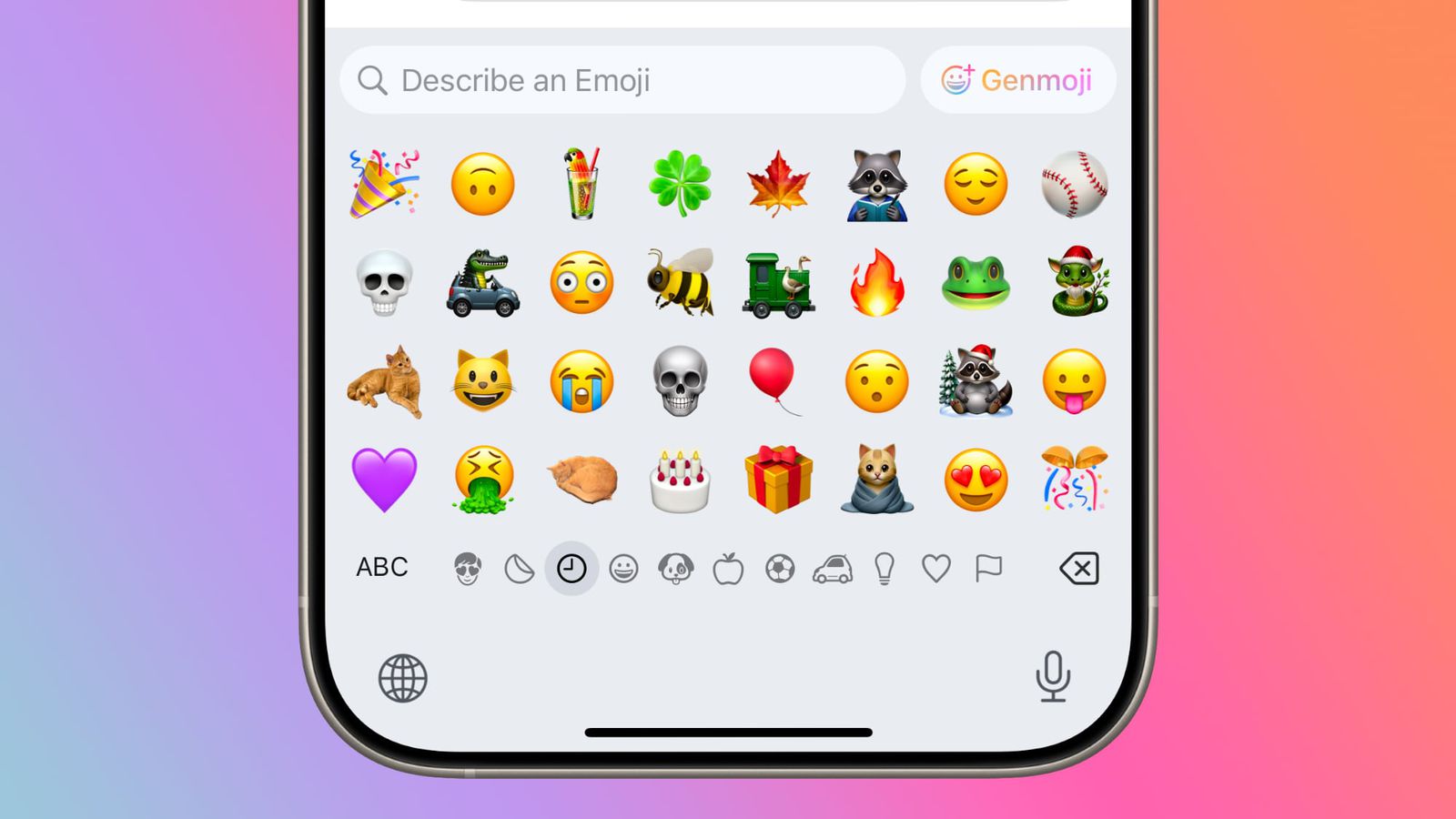
◉ HomeKit: New support for Matter-powered robot vacuums.
There are undoubtedly many features and improvements, as we mentioned, exceeding 70 features and improvements, which you will learn about based on your user experience.


38 comment